Dress for Success Washington D.C.
Website Redesign
An uplifting platform empowering women to pursue their career aspirations.
Estimated reading time: 6-7 minutes
Project duration: 8 months
Project Overview
Date
Sep 2023 - Apr 2024
Team
Susan Kyles - Executive Director & CEO of DFSWDC, Client
Angela Jones - Program Manager at DFSWDC, Client
Eileen Rixman - Volunteer at DFSWDC, Client
Rishma Balakrishnan - Project Manager, UX Designer
My role
Client communications, research lead, design lead
Dress for Success, Washington D.C. (DFSWDC) is a nonprofit organization that offers career and workplace resources for low-income women. DFSWDC relies on volunteers to help with various aspects of their program that assist women to land jobs, receive professional attire, and participate in career coaching.
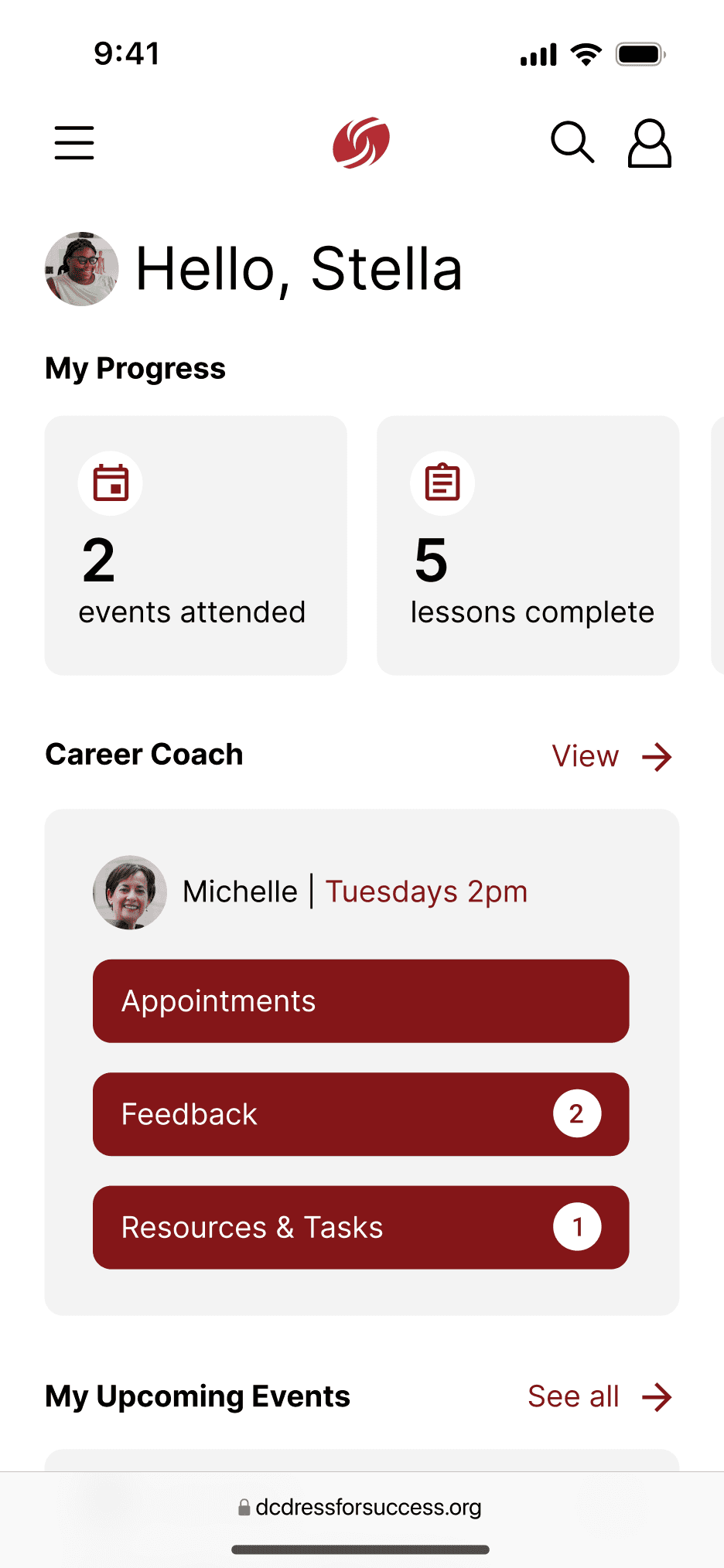
This project included a redesign of multiple pages of DFSWDC’s mobile website as well as the design of a completely new personal dashboard page.
Problem Statement
Regardless of location and life circumstances, underserved women in the D.C. area who are working towards career goals need a way to:
1
Foster meaningful connections
2
Receive support
Following the COVID-19 pandemic, DFSWDC expanded their virtual presence in hopes of offering the same support. However, there is a disconnect between their virtual and in-person offerings.
My Research Process
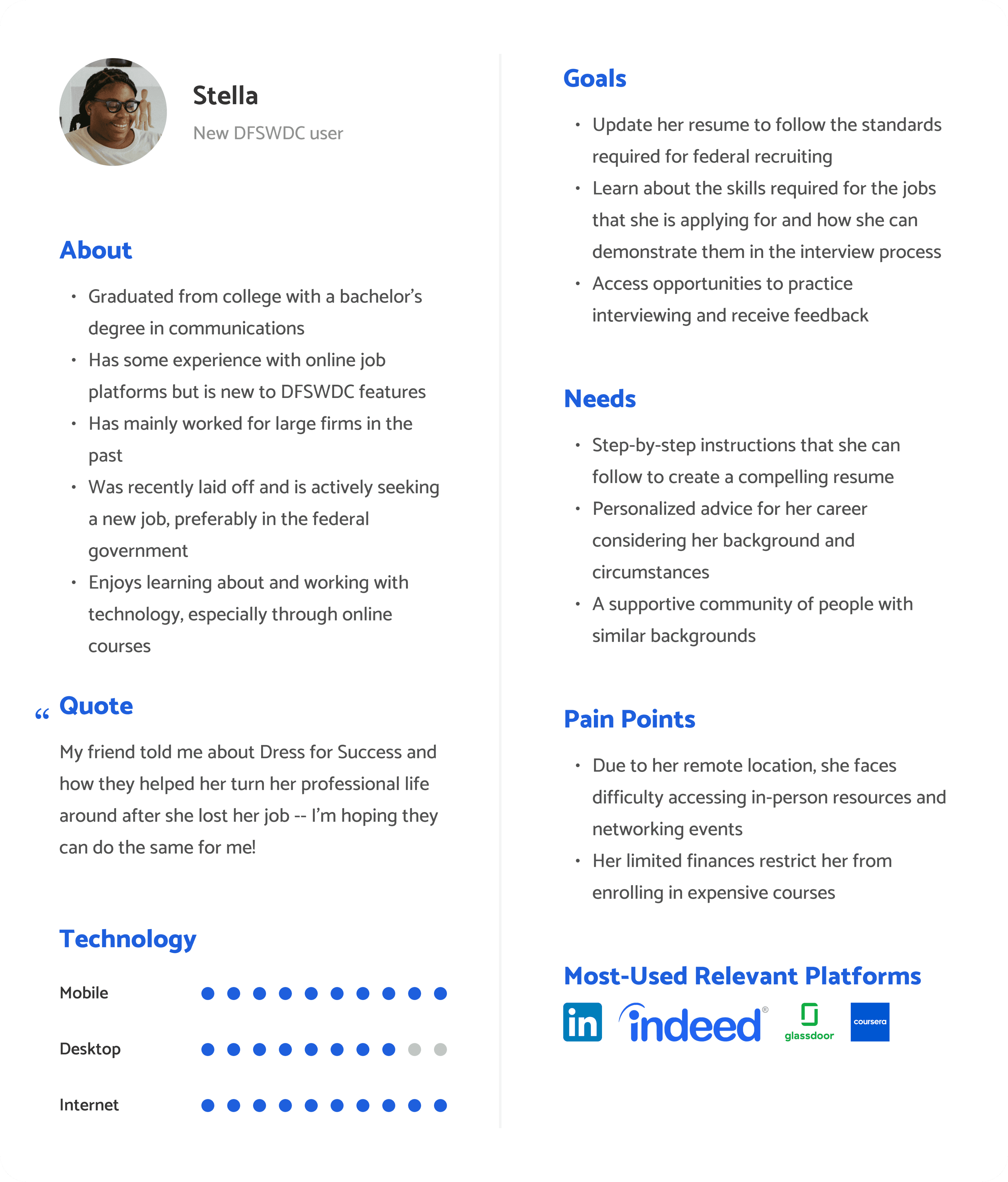
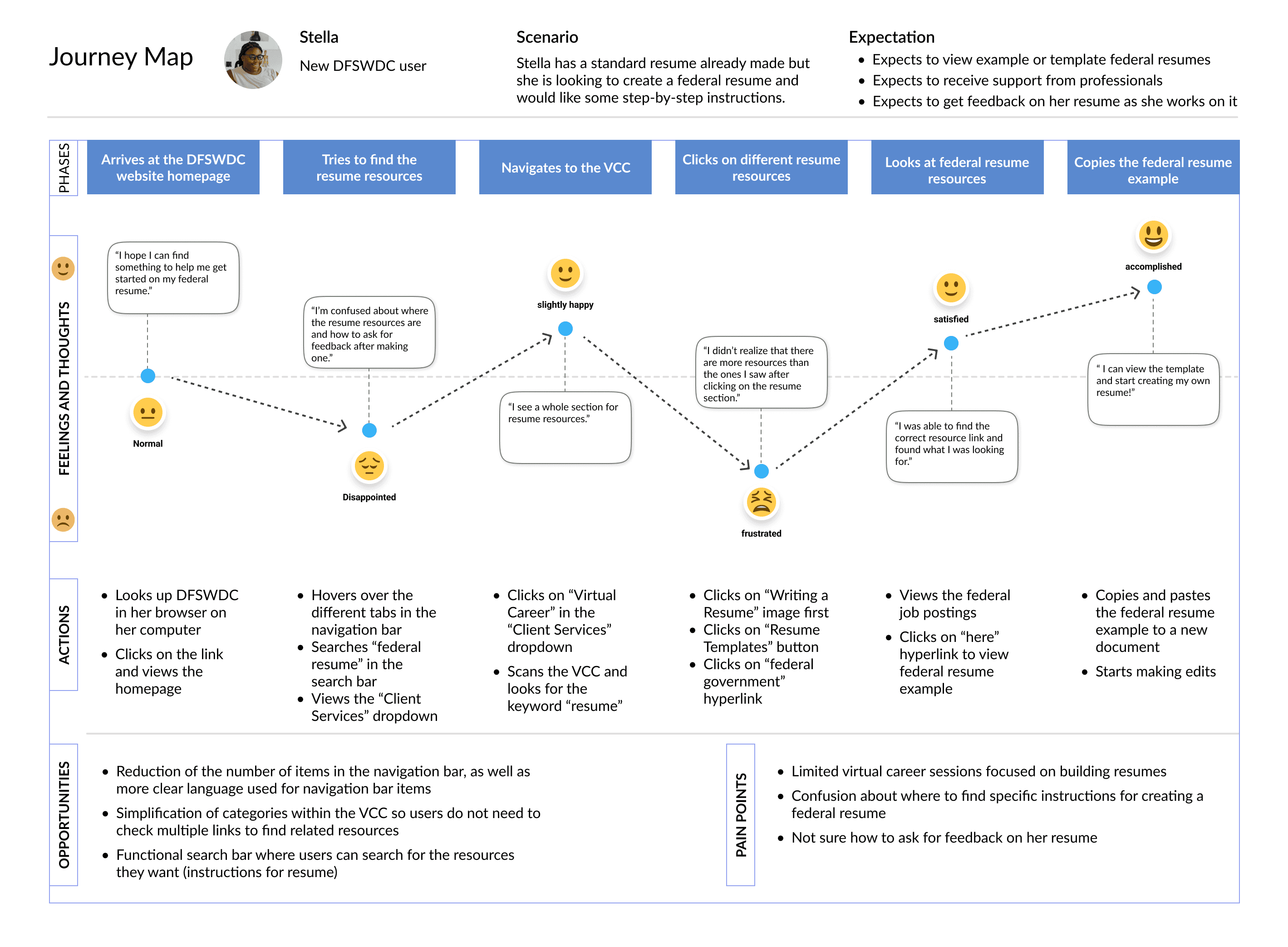
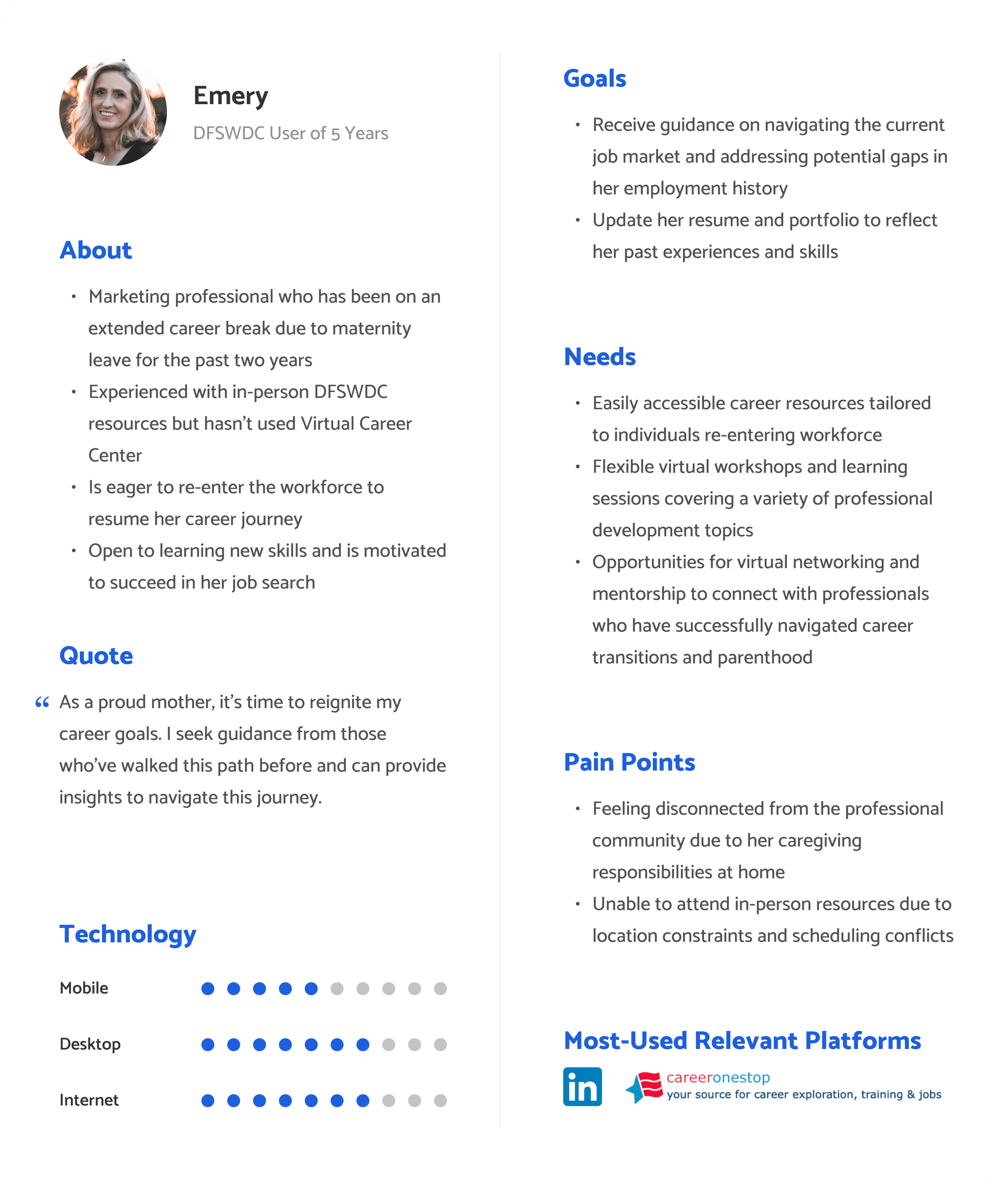
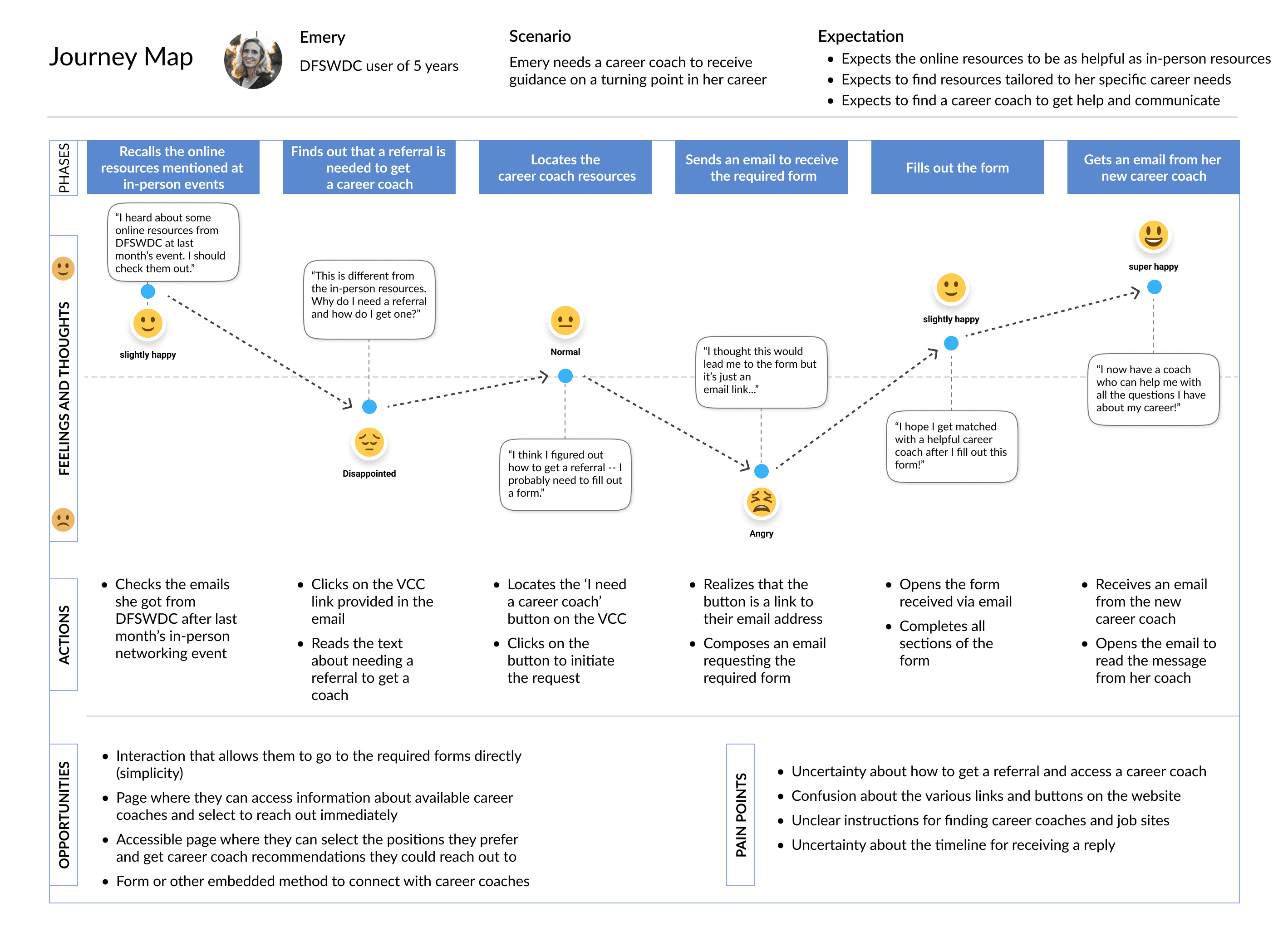
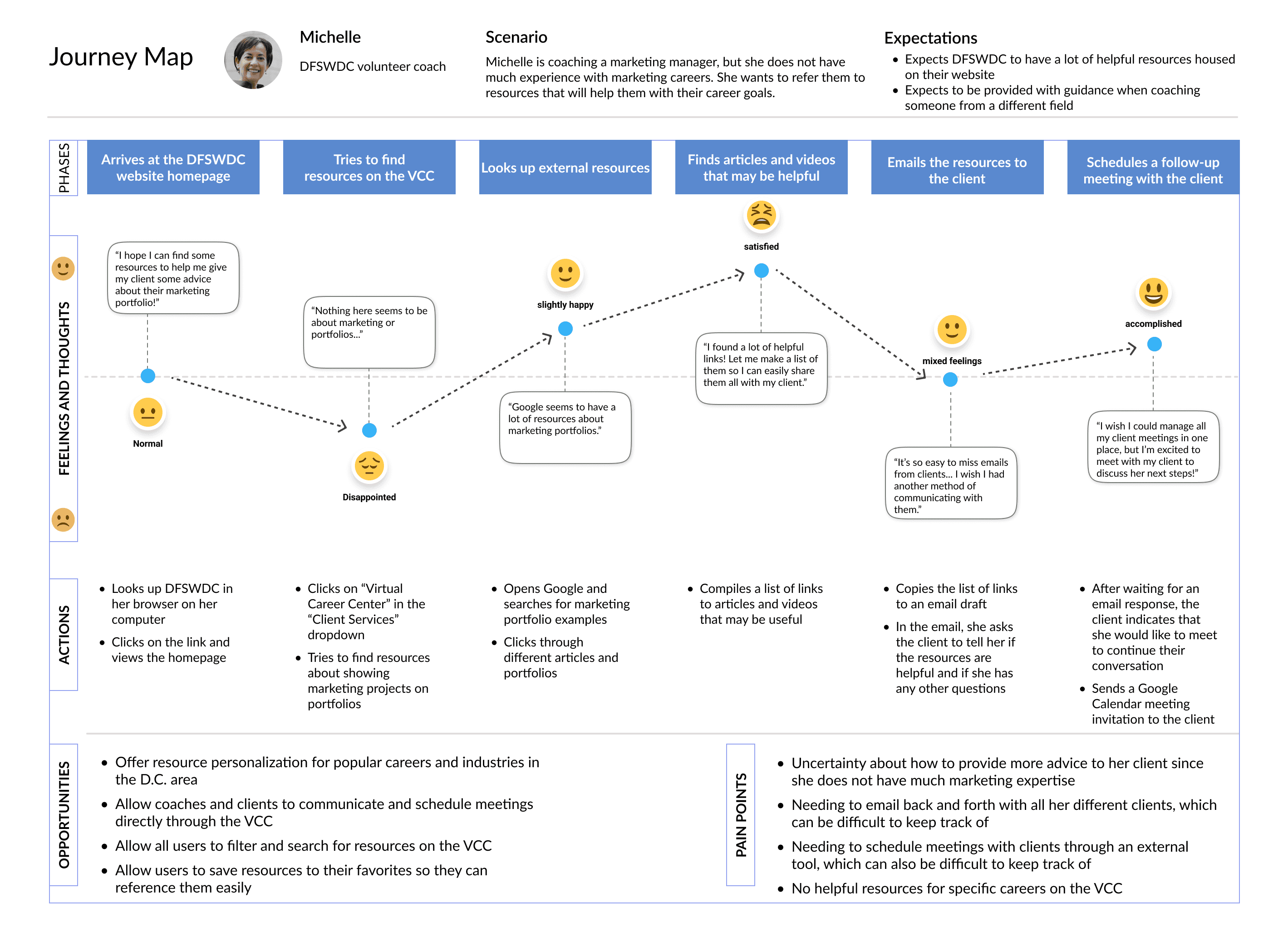
Here are the main insights identified from the research I conducted.
A lack of consistency is a recurring issue throughout the website
Many of the resources available on the Virtual Career Center are extremely generalized and lack personalization
Unclear calls to action can make it difficult for users to determine how to use different career resources
Different circumstances such as location and disabilities prevent users from accessing in-person resources
It is difficult to scan the website and get an overview of all the different resources
Users like receiving personalized career resources
Long-time DFSWDC users have become accustomed to working with career coaches & utilizing other in-person resources
Many positive emotions arise when using DFSWDC’s in-person resources – especially empowerment
UX Design Requirements
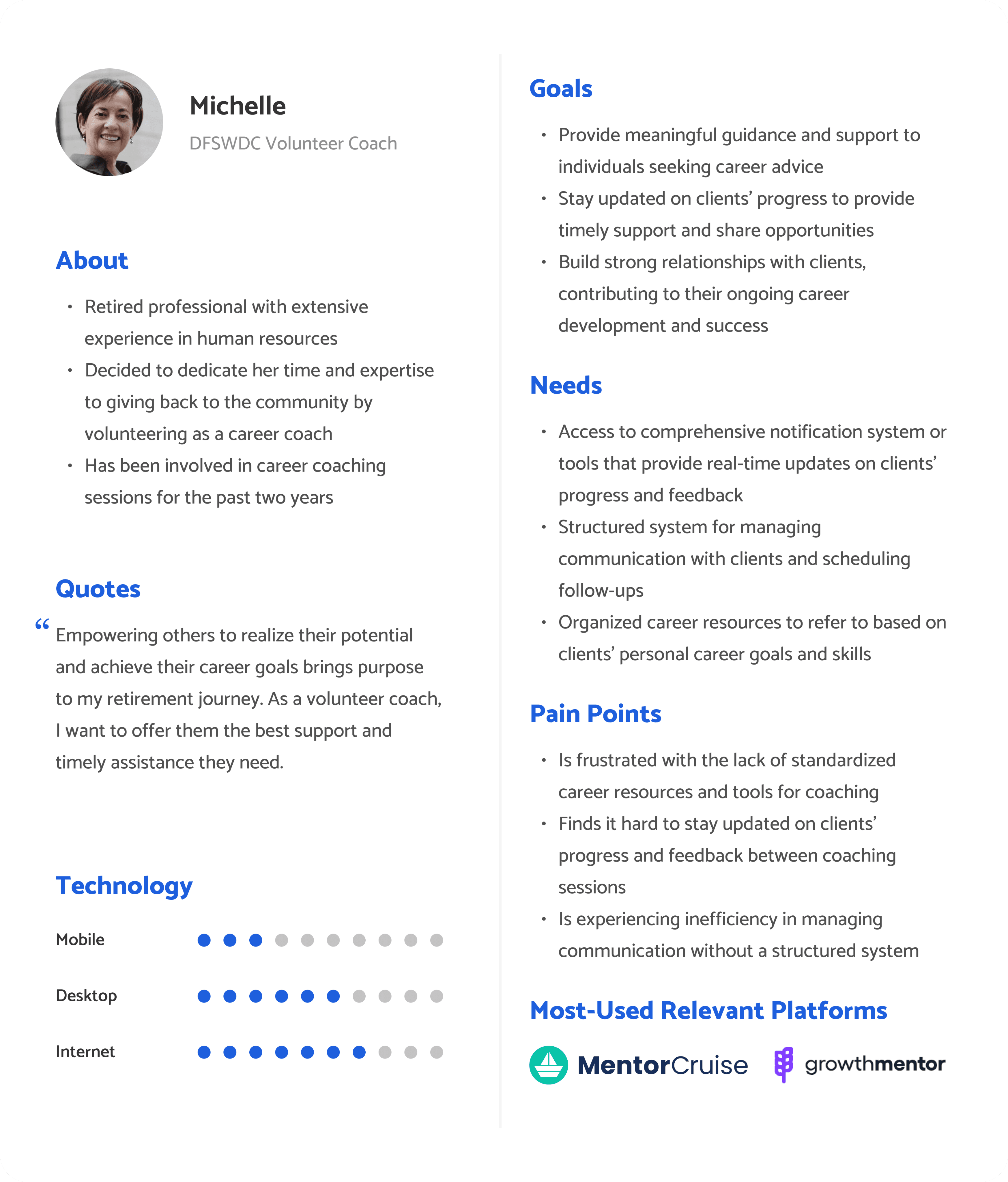
From the research-informed personas and user journeys, I identified the following UX design requirements that the redesigned website should adhere to in order to best serve its users’ needs.
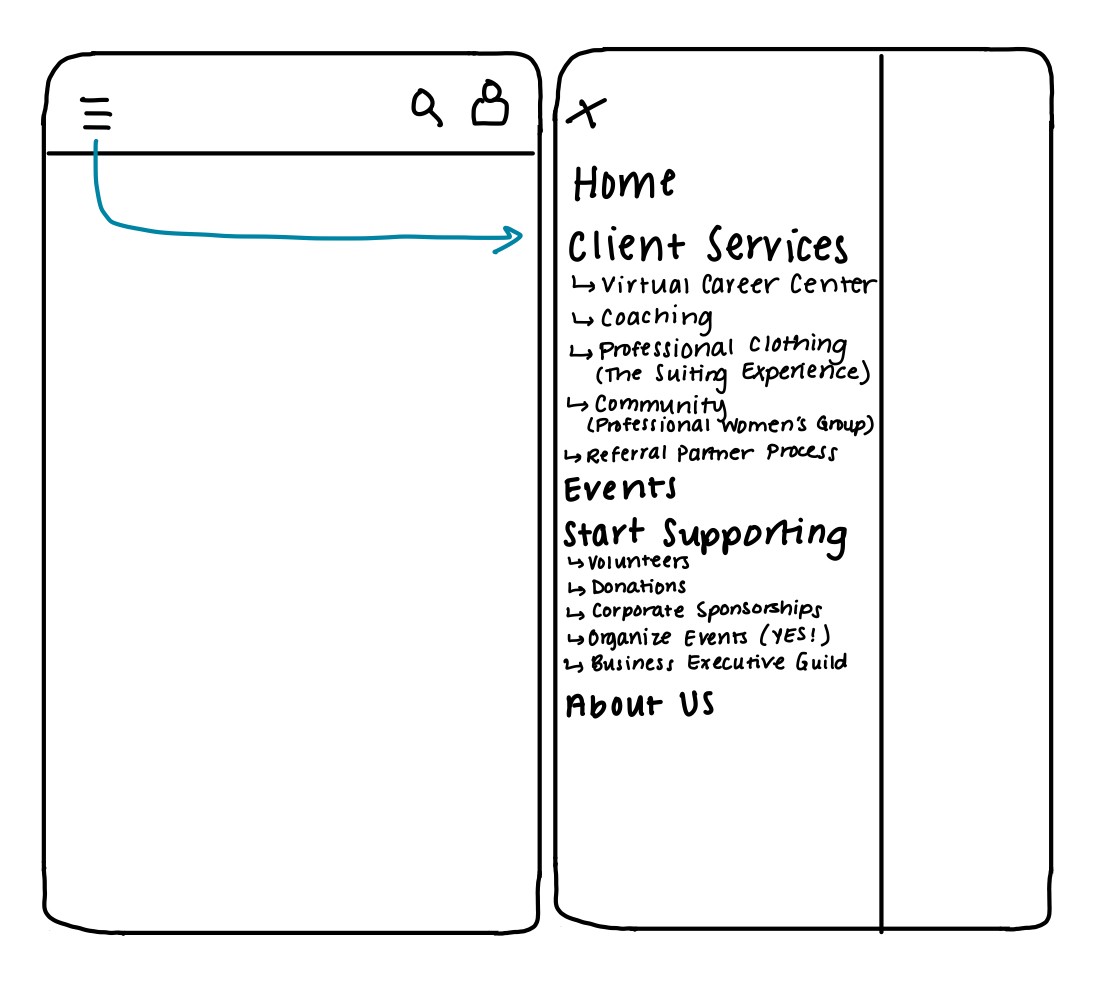
Improved navigation
Users need an organized navigation experience to intuitively access information they are looking for.
Search functionality
Users need a method to filter resources on the website based on specific tasks they have in mind.
User feedback mechanism
The DFSWDC staff needs a way to view analytics and feedback about resource usage from users.
Enhanced event scheduling
Users need a way to view and schedule upcoming events in an organized way.
User-centric language
Users need to only see language they can easily understand on the website.
Volunteer interaction
Users need a way to feel connected to DFSWDC volunteers through the website.
My Design Process
I used an iterative design approach with 2 rounds of user testing in the design phase and 2 major iterations of the prototype (one in low fidelity and one in high fidelity). Between these major iterations, lots of smaller iterations took place, too.
1
Sketches
3
Lo-fi wireframes
4
Prototype
2
User/task flows
5
User testing
1
Sketches
I made 24 sketches to address each of my design requirements (see the previous section). A few of them are included here:
2
User/task flows
Next, I mapped out all of the user flows and task flows for all of the flows that I wanted to either change or add on the website.
User flow for account sign-in/registration
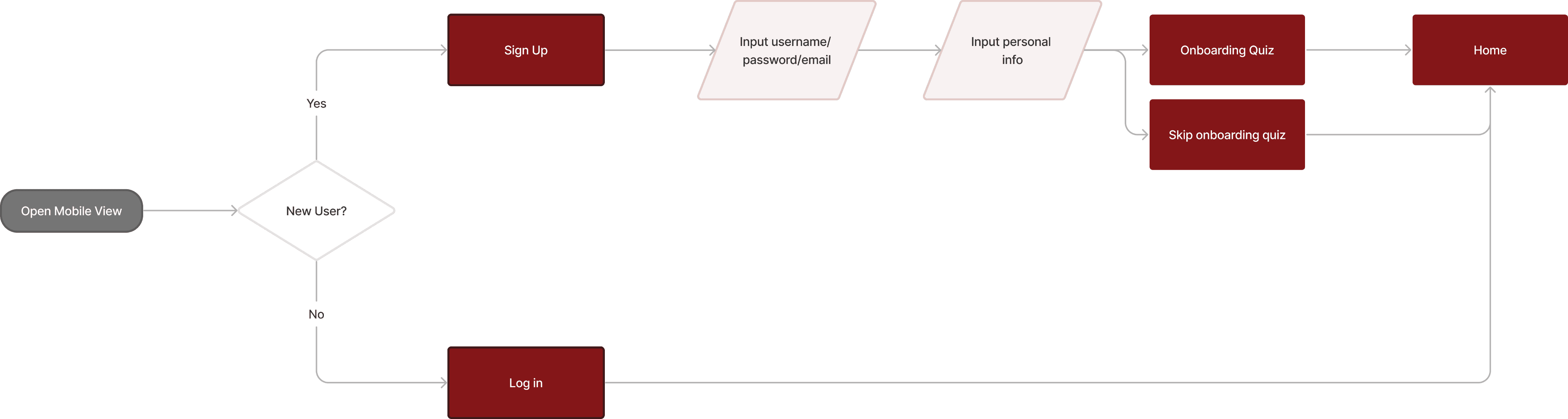
Previously, the website did not include user accounts. However, given users’ desires to receive personalized resources, I thought this would allow the DFSWDC staff to easily tailor resources shown to users to their career goals and interests.
User flow for signing up for a career coach

Users also did not have the ability to sign up for a career coach through the website before, so I added this feature in hopes of alleviating some of the back-and-forth that staff, volunteers, and users had to do over email in order to match a user to a coach.
Task flow for event registration

Adding event registration to the website was important to the staff members because they needed to track event attendance and participant demographics for funding and for reporting their impact to their board members.
Task flow for searching the website

The most significant change I wanted to make to the search functionality is providing users with a way to filter the search results.
3
Low-fidelity wireframes
Next, I began creating low-fidelity wireframes of the pages I needed in order to fulfill all of the user and task flows mentioned above.
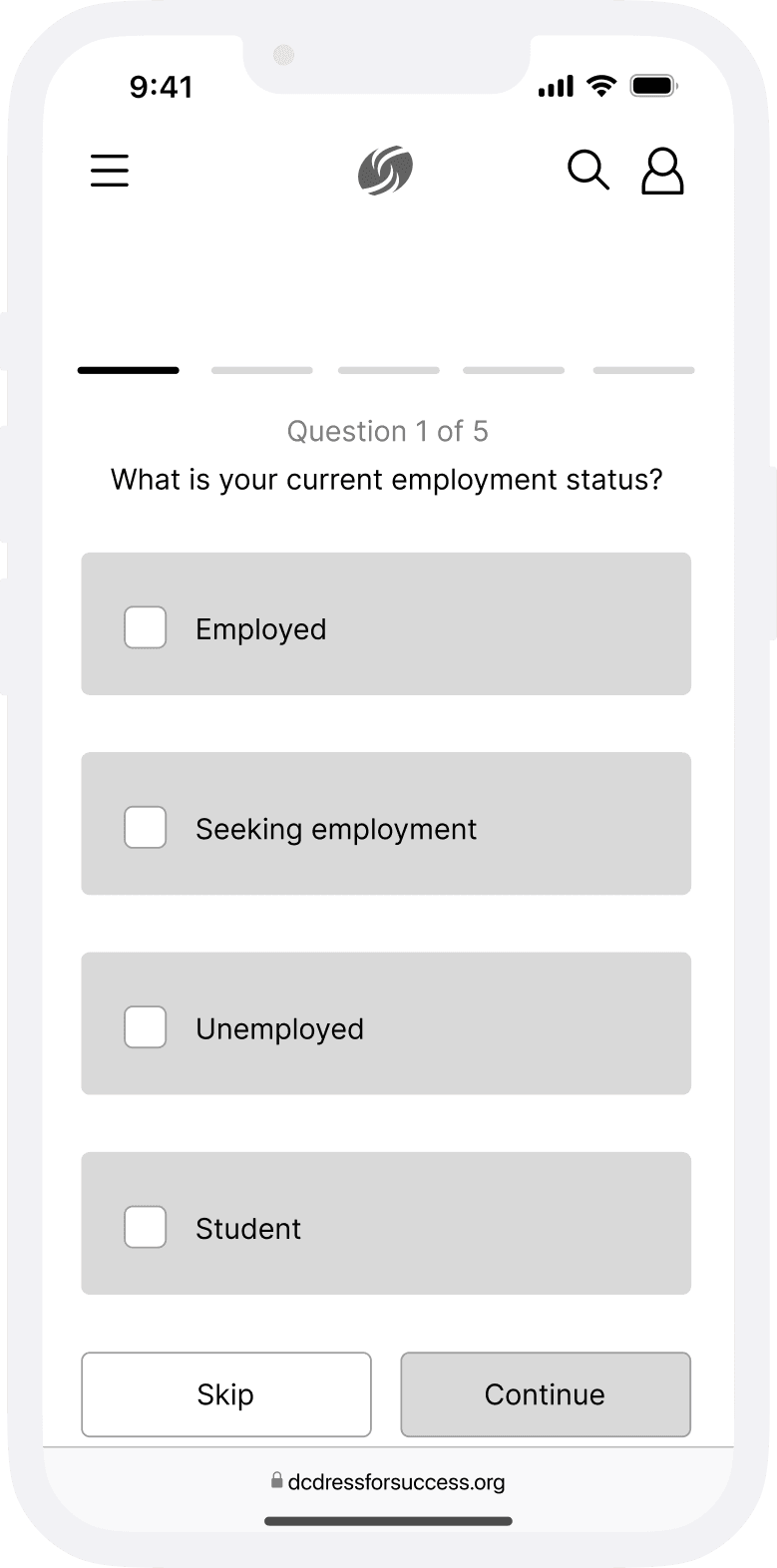
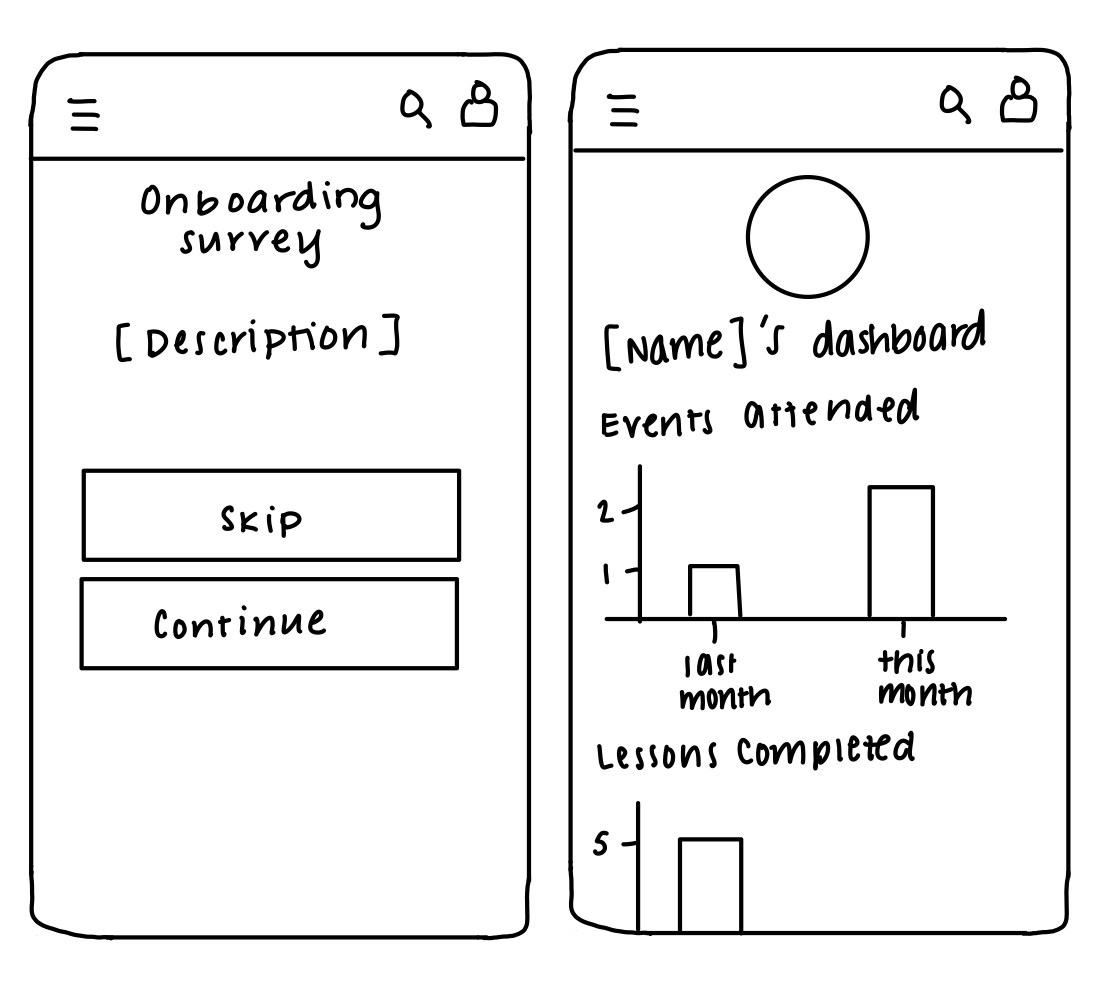
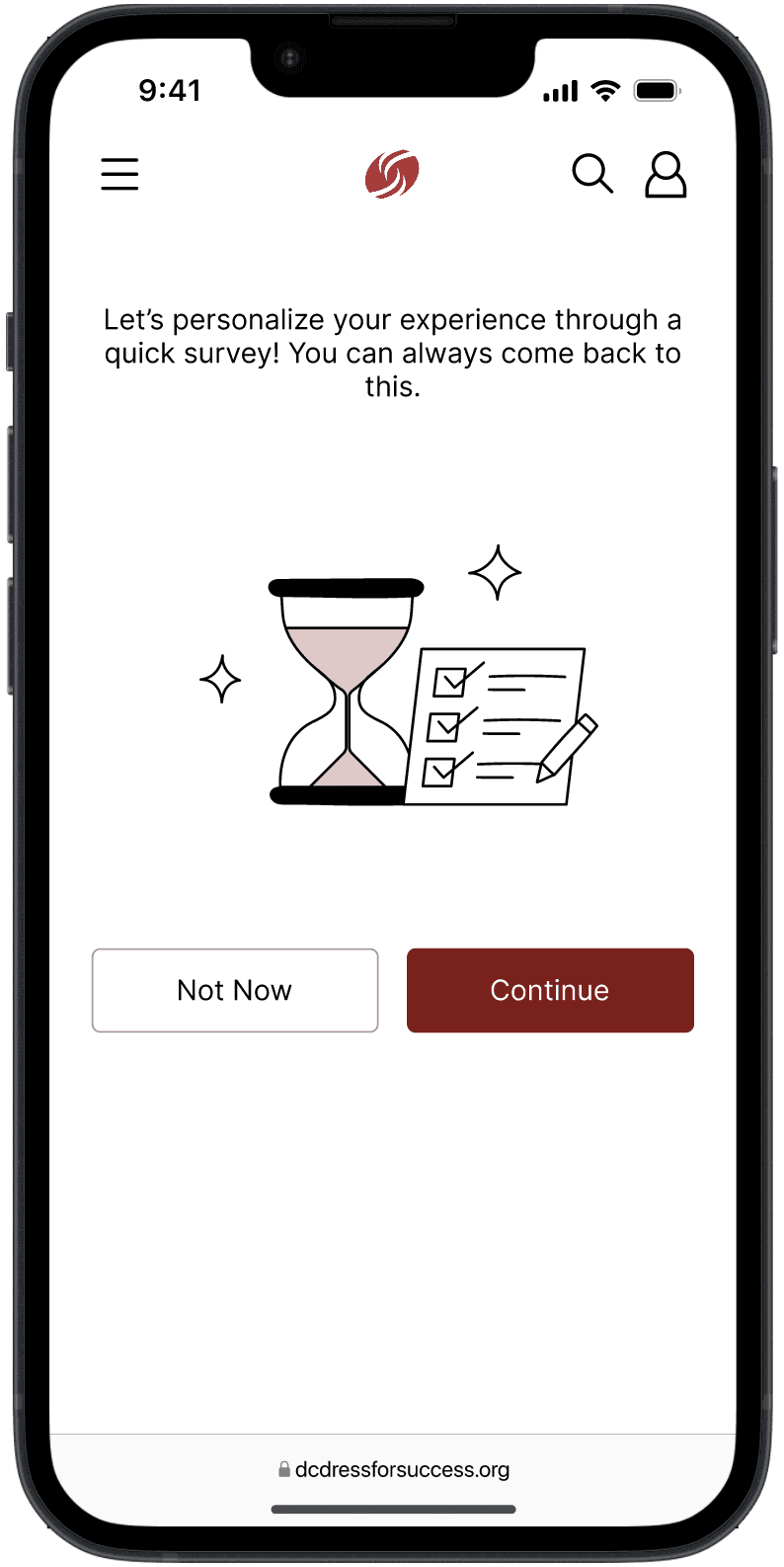
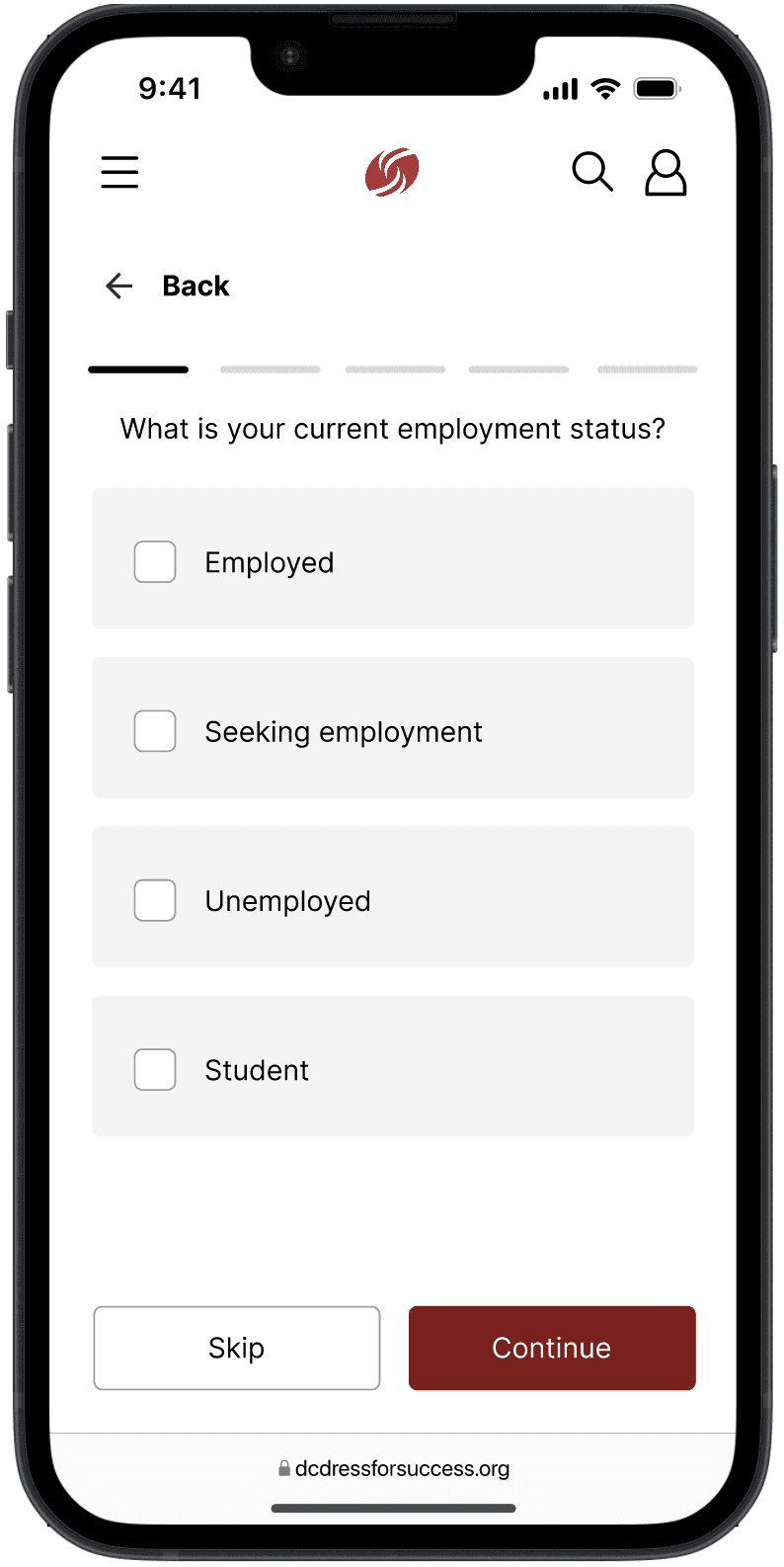
An onboarding survey to gauge users’ goals for using the website
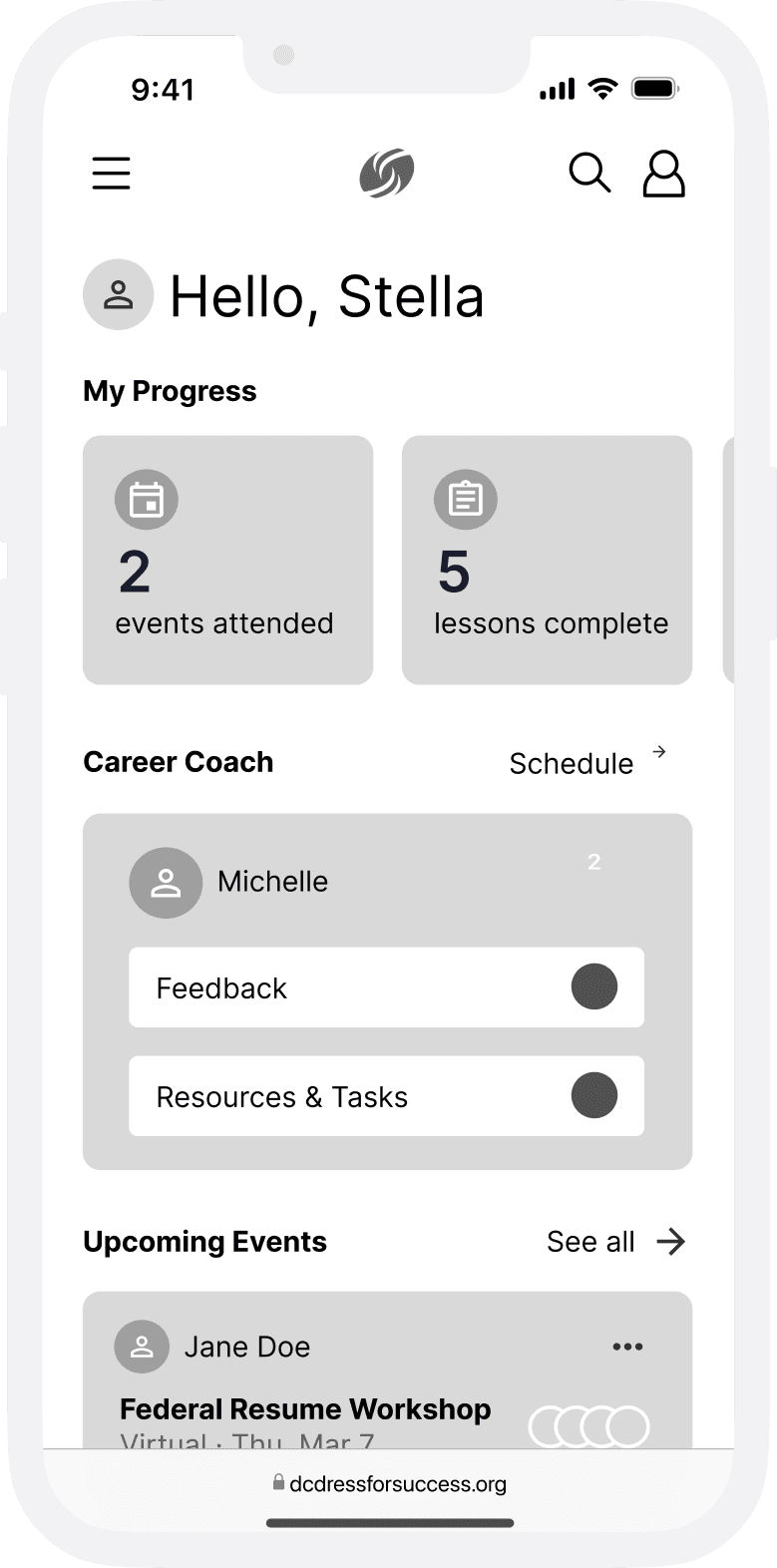
A personal dashboard to track metrics and access personalized resources all in one place
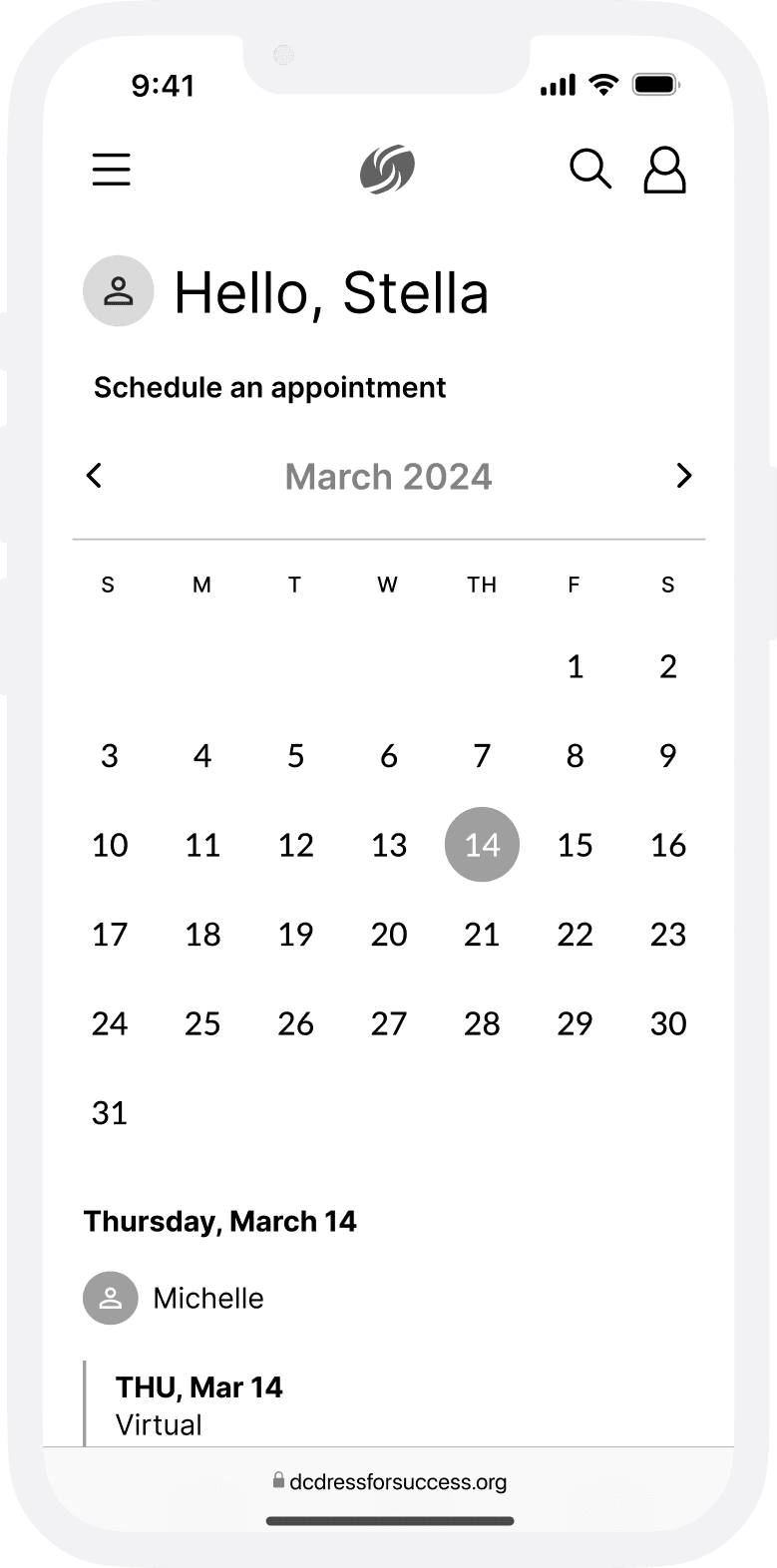
An appointment scheduling system that allows career coaching sessions to be scheduled directly through the website
4
User testing
I created an interactive prototype with my low-fidelity wireframes and conducted user testing with 8 participants who had never used DFSWDC’s website before. I found the following insights from this:
Page redirects within the prototype made users feel confused
Lack of consistency across the pages made the prototype hard to understand
After implementing the necessary changes, I conducted another round of user testing. These were the insights that emerged from this round:
Onboarding process sets up the user experience across the rest of the pages on the website
Containing interactions & information within the website instead of relying on redirects increased satisfaction
It is important to reduce the effort and mental load required for users
5
High-fidelity designs
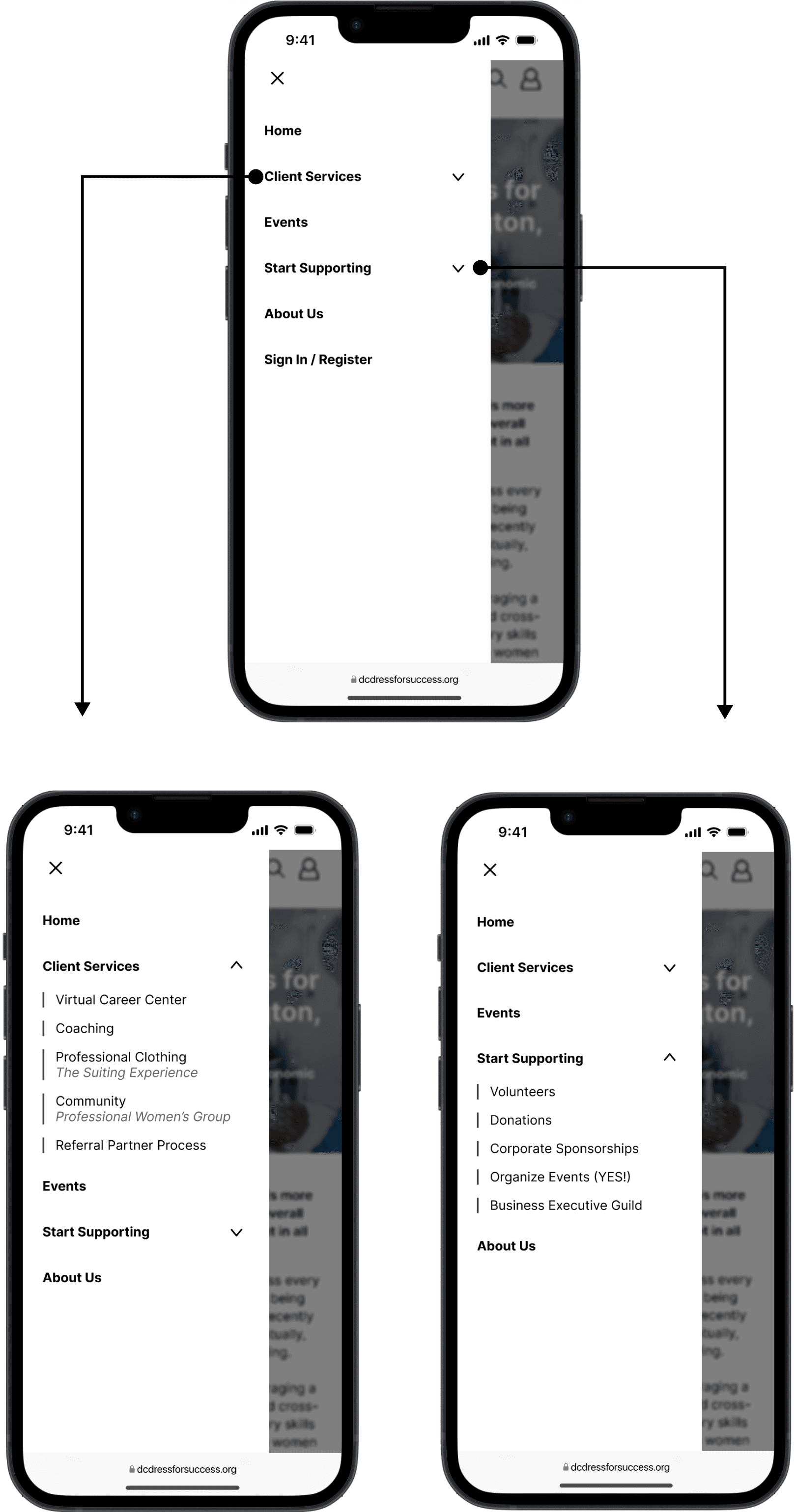
Navigation menu
User-centric language
Less drop-downs
Descriptors added to page titles
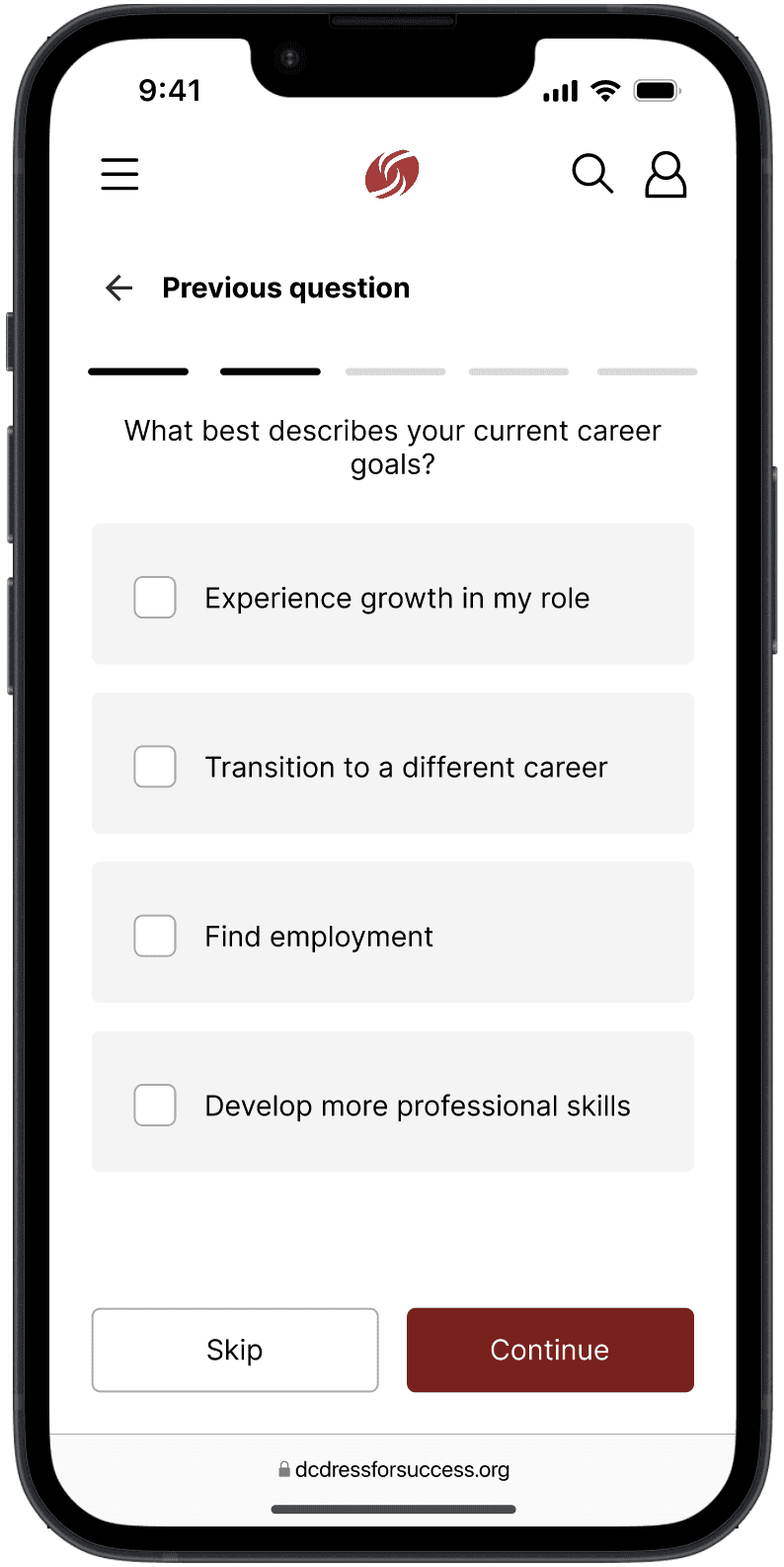
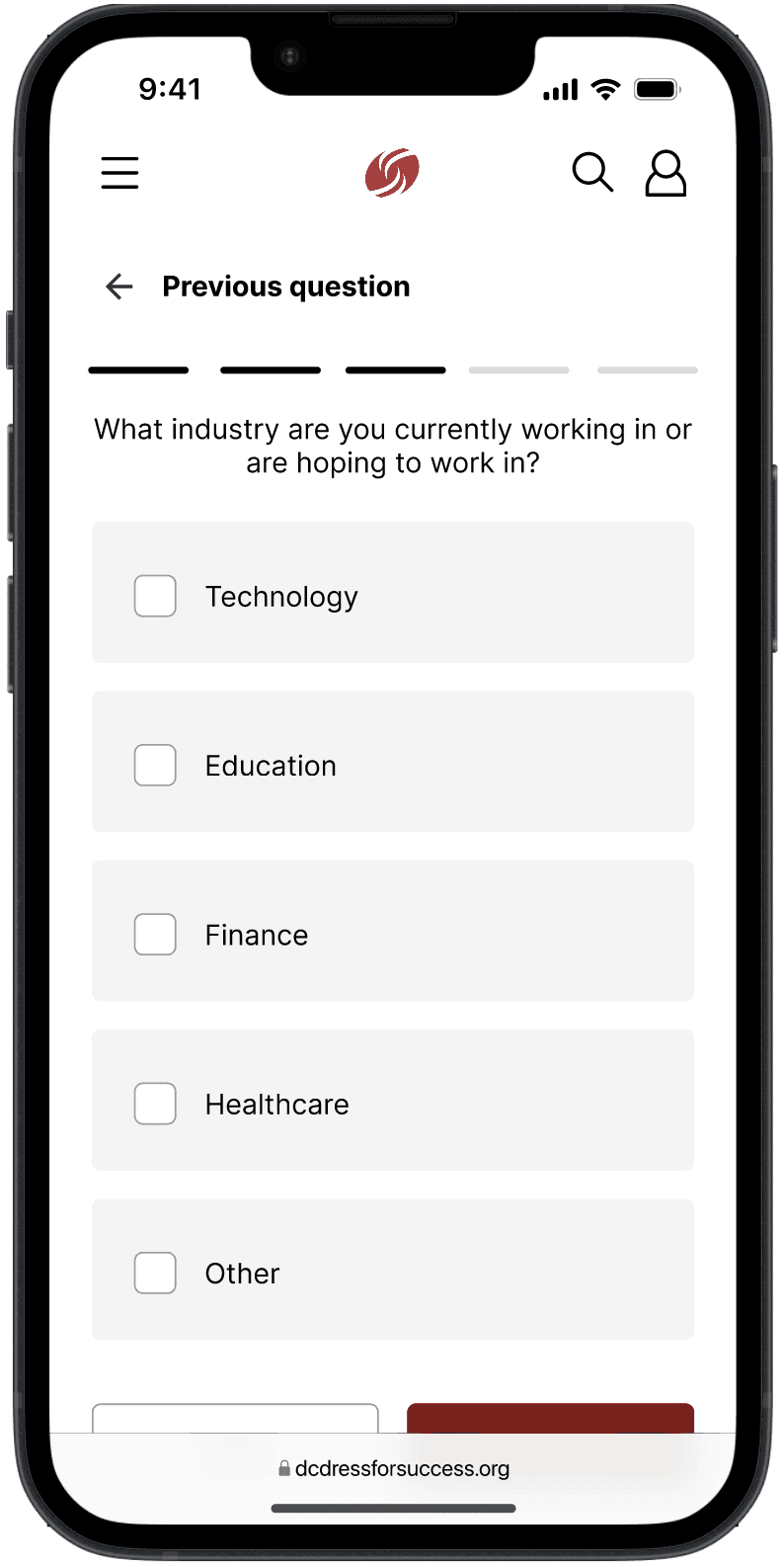
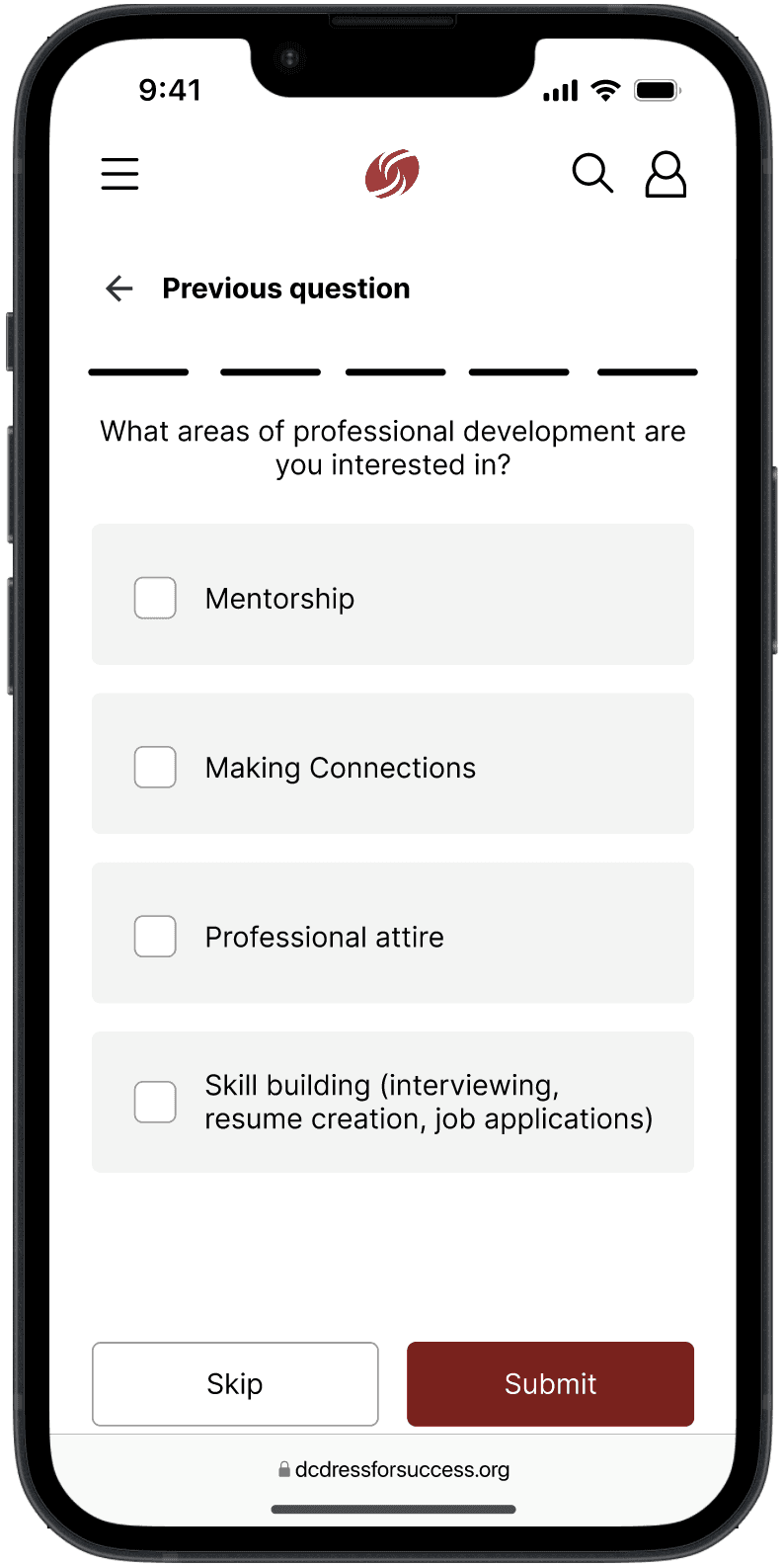
Onboarding questionnaire
Users choose between taking the survey after signing up or later
Users share their career goals
Users explain what they want to get out of DFSWDC
Dashboard is updated based on questionnaire results
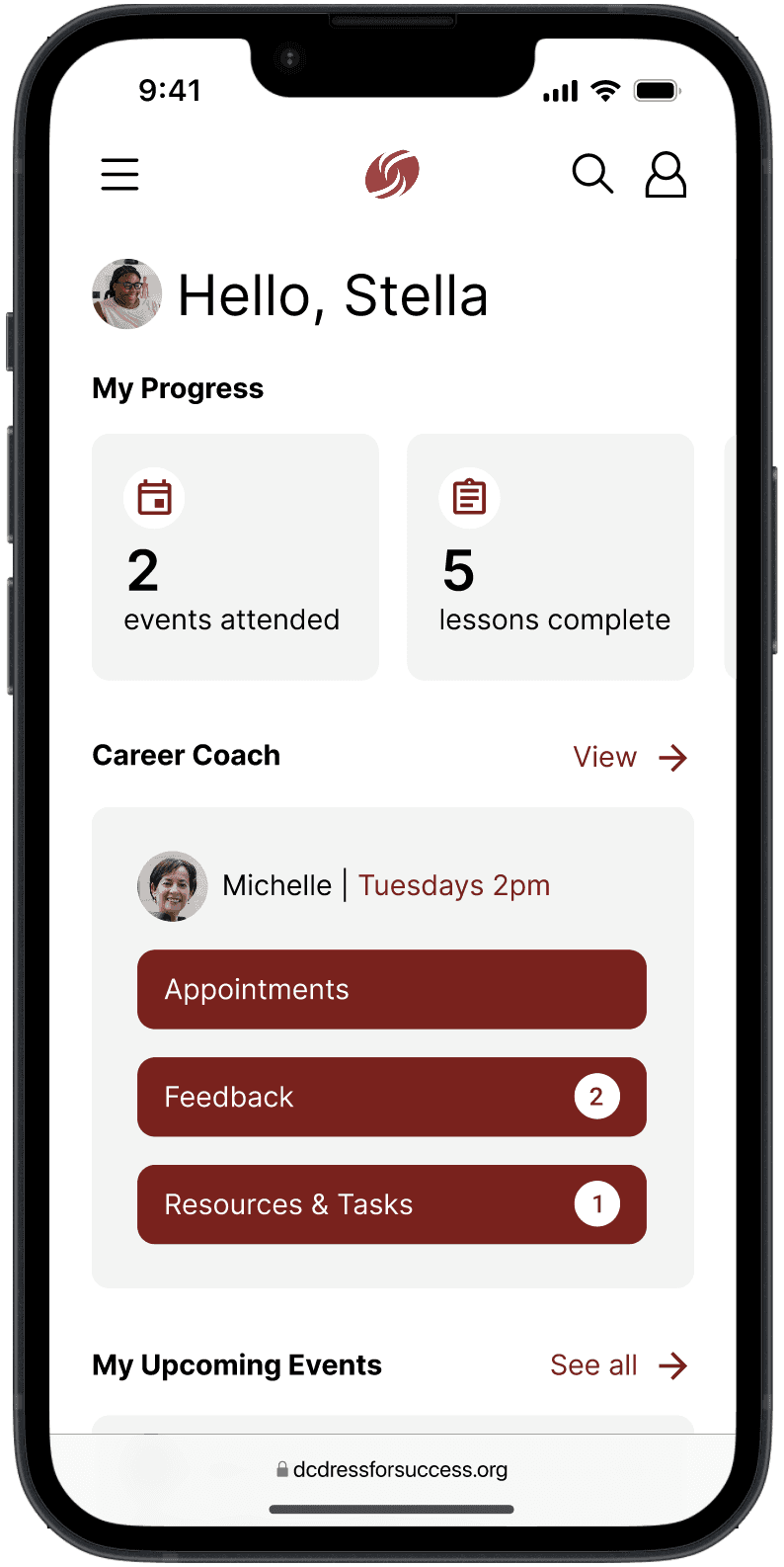
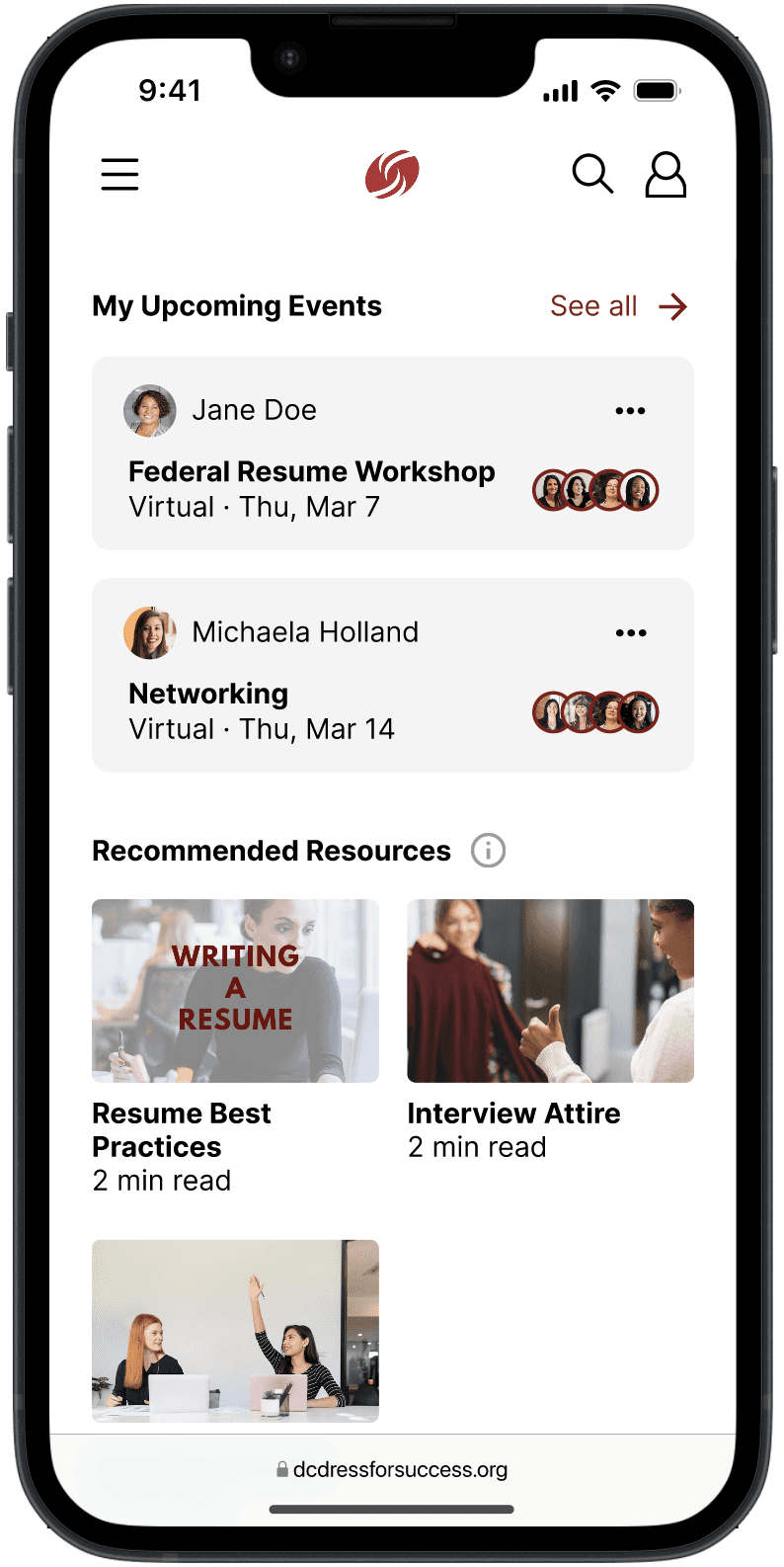
Profile/dashboard
Track progress toward career goals
View metrics of resource usage
Visualize benefits
Get personalized resource recommendations
Starting point to begin browsing resources
Arrows on resource pages to lead users to related resources
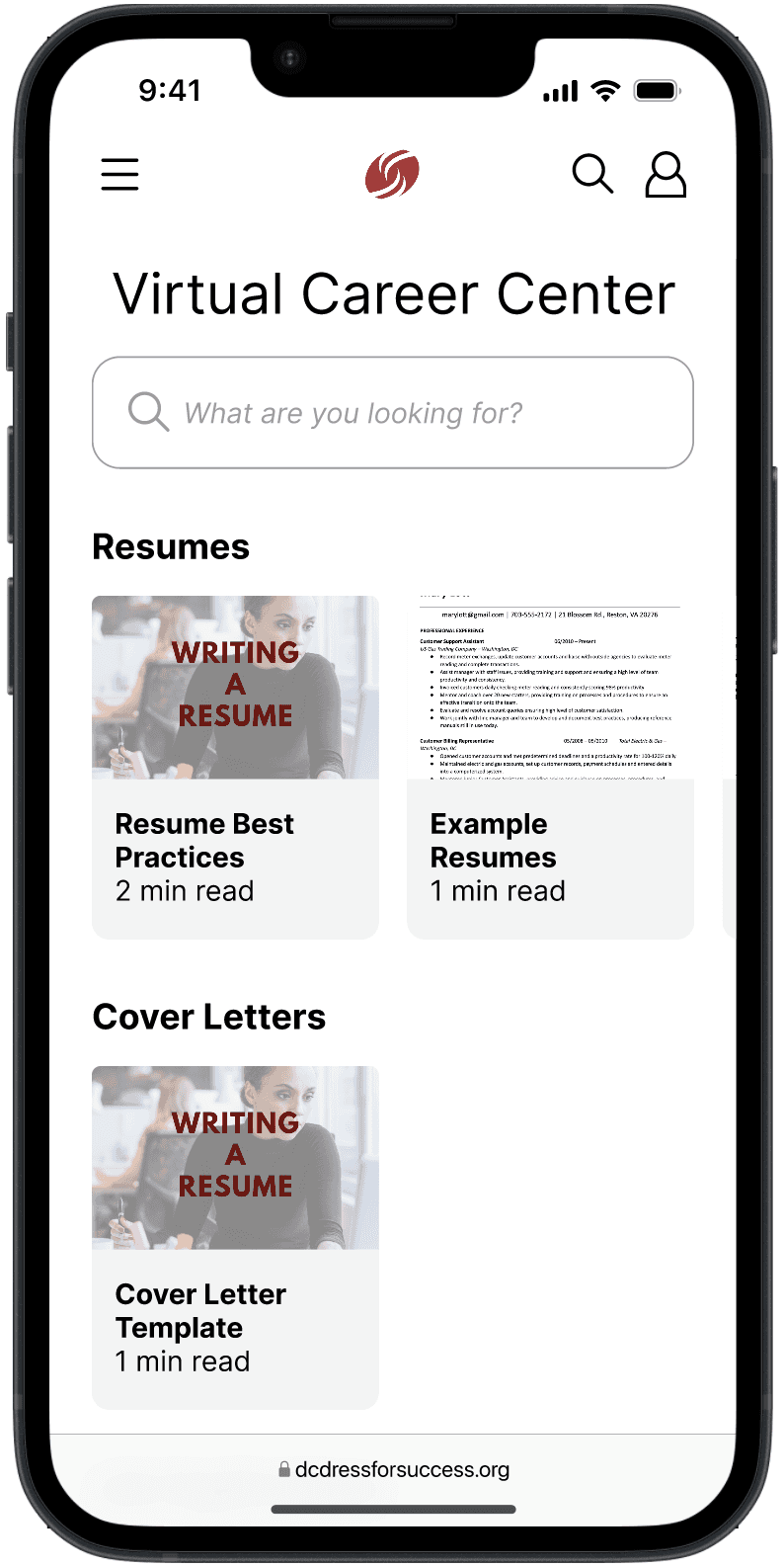
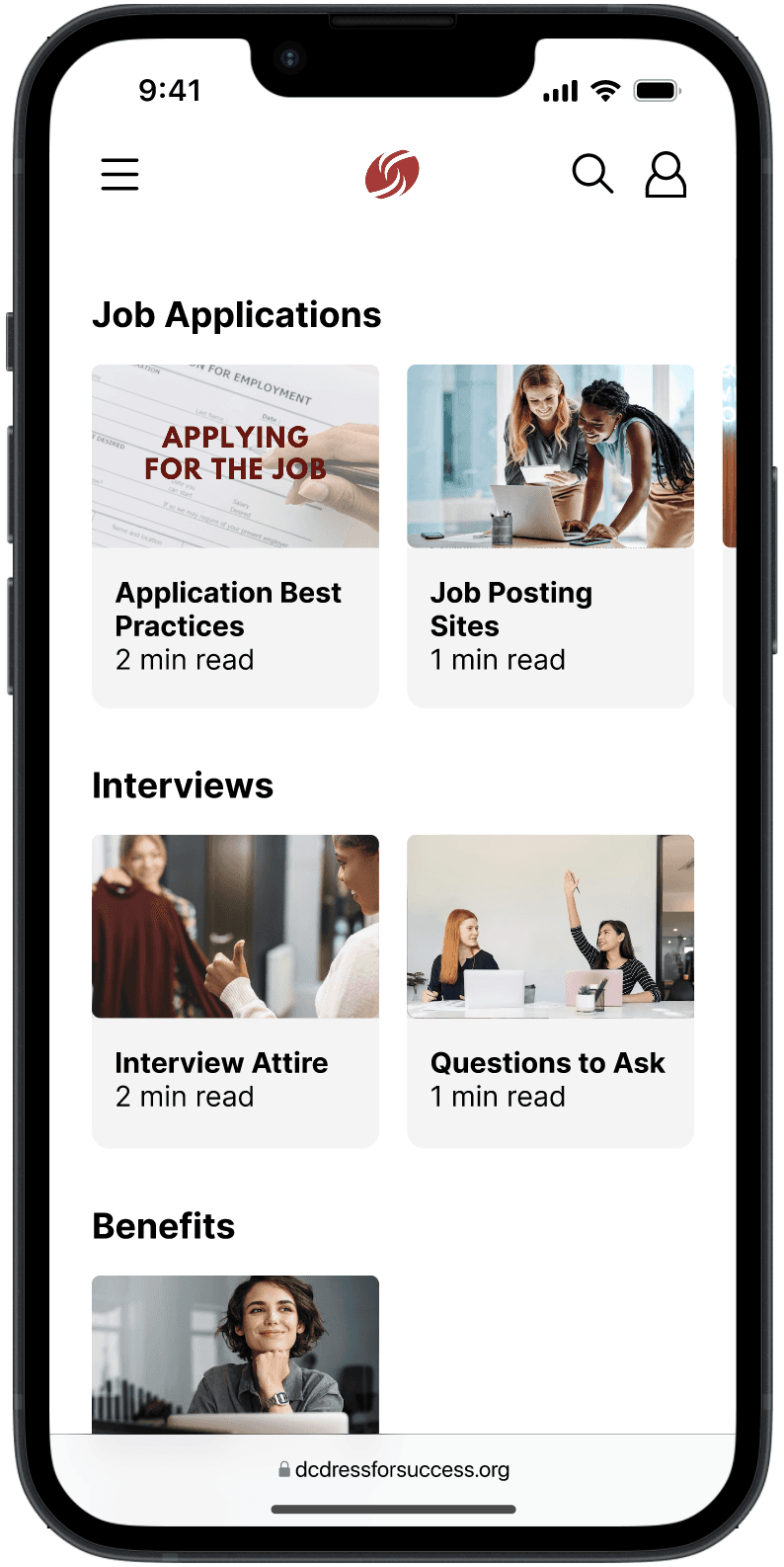
Virtual Career Center (VCC)
View all available resources at a glance
Resources are categorized into distinct sections
Search for resources
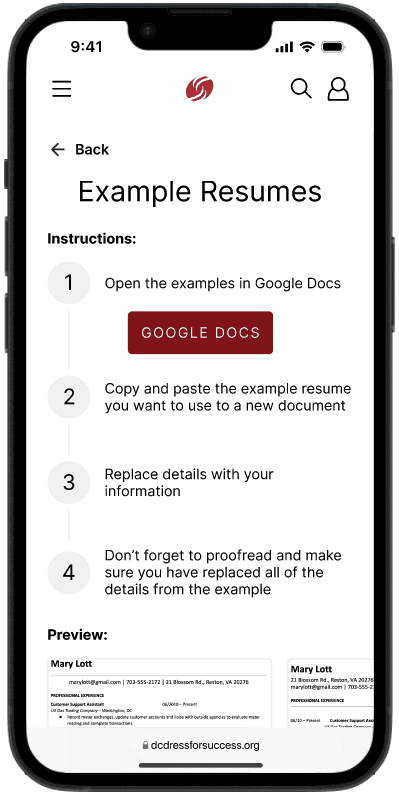
Step-by-step instructions for resource usage
Scales to increase in resources provided
Preview resources without being redirected
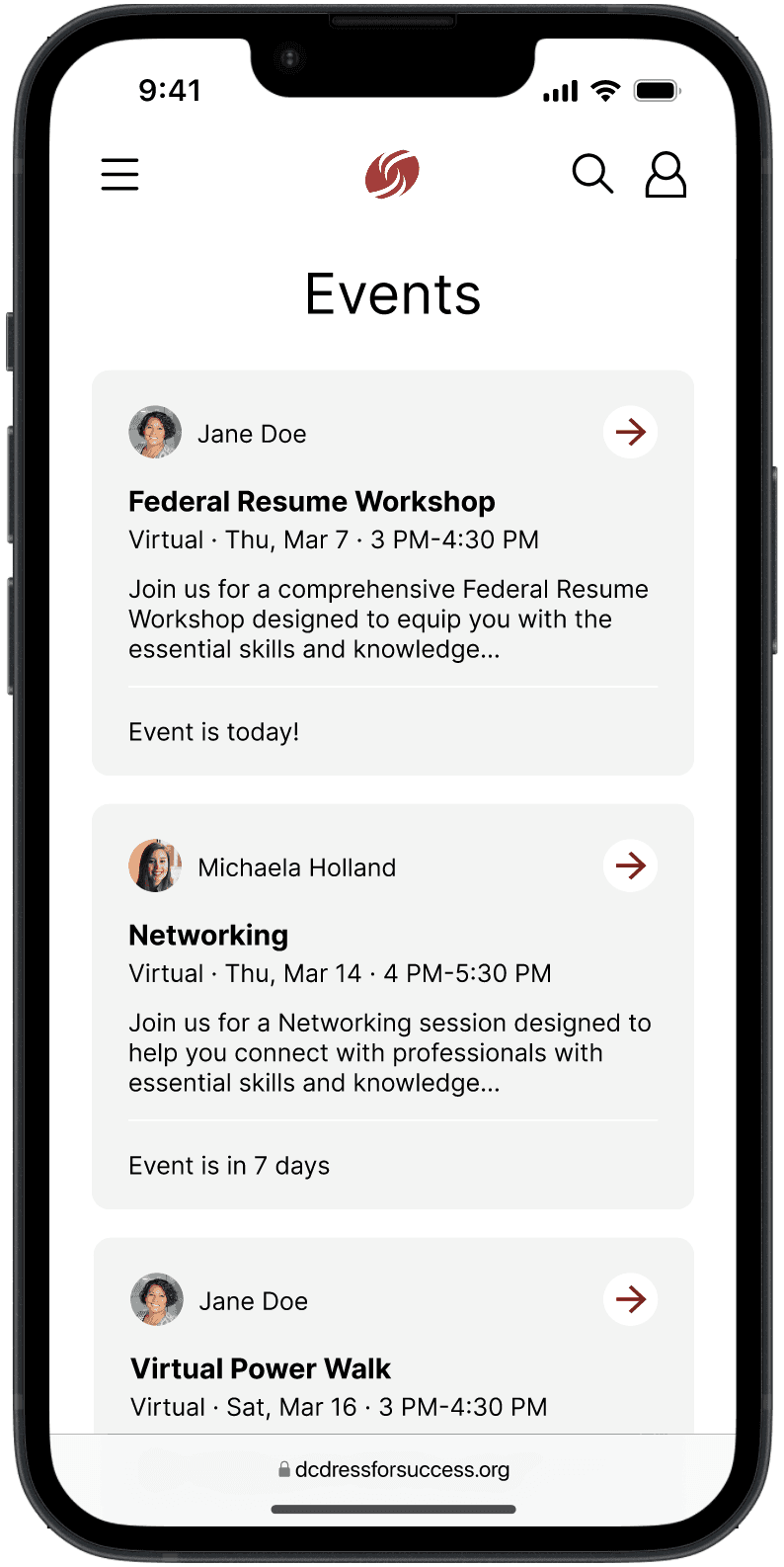
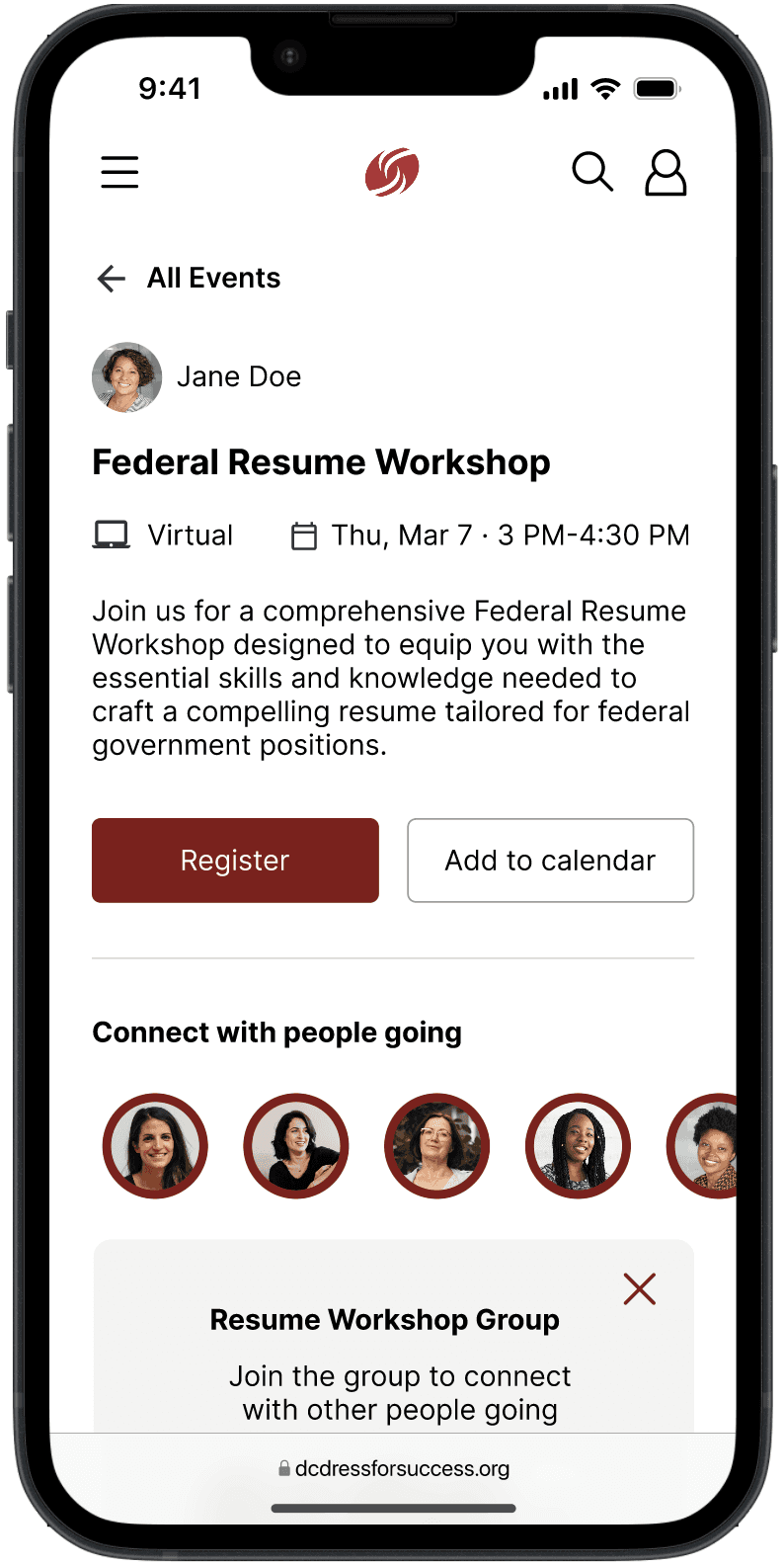
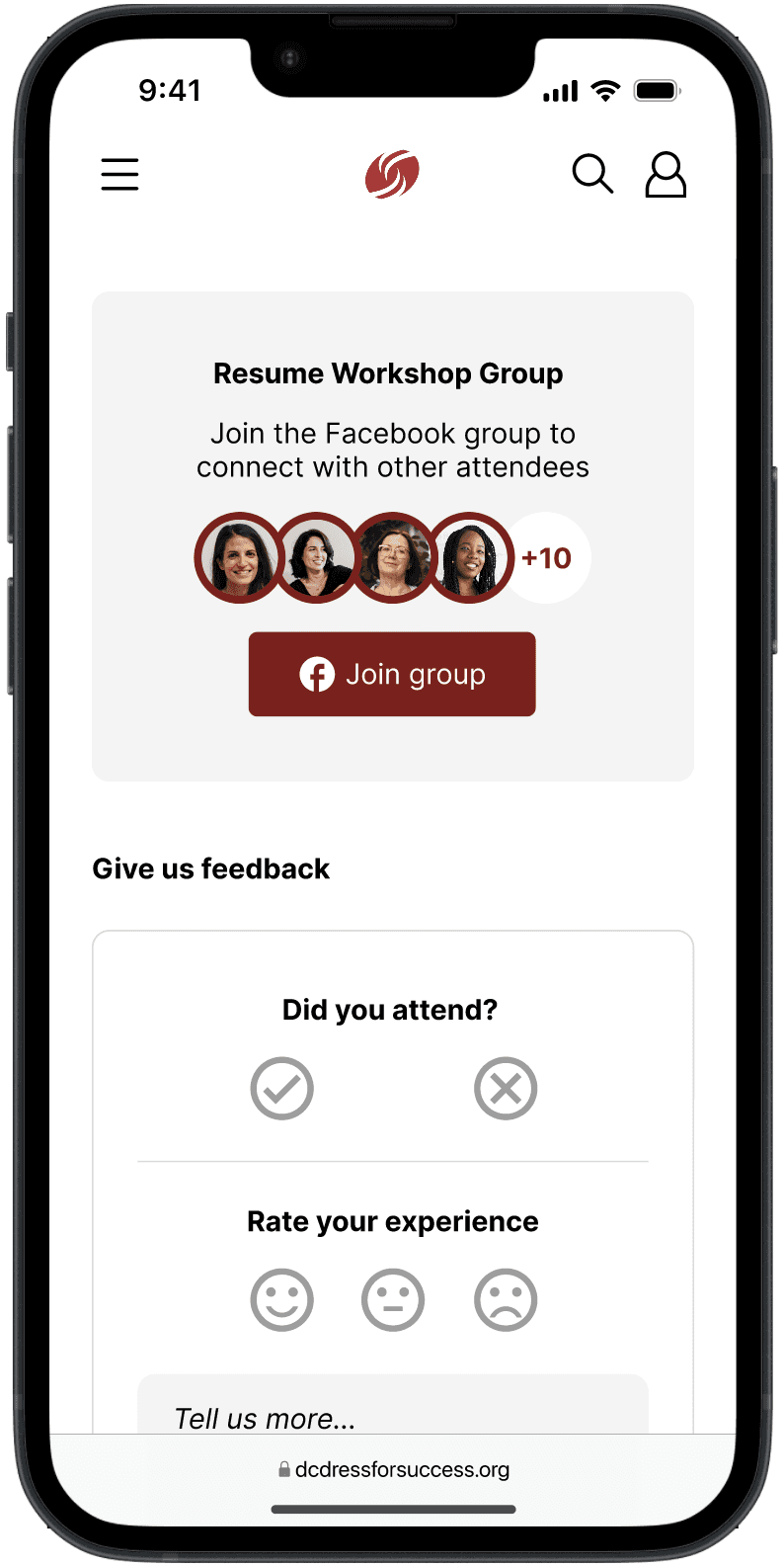
Events and community
Chronological overview of events
View event details
Join Facebook groups for events
Fosters a sense of community
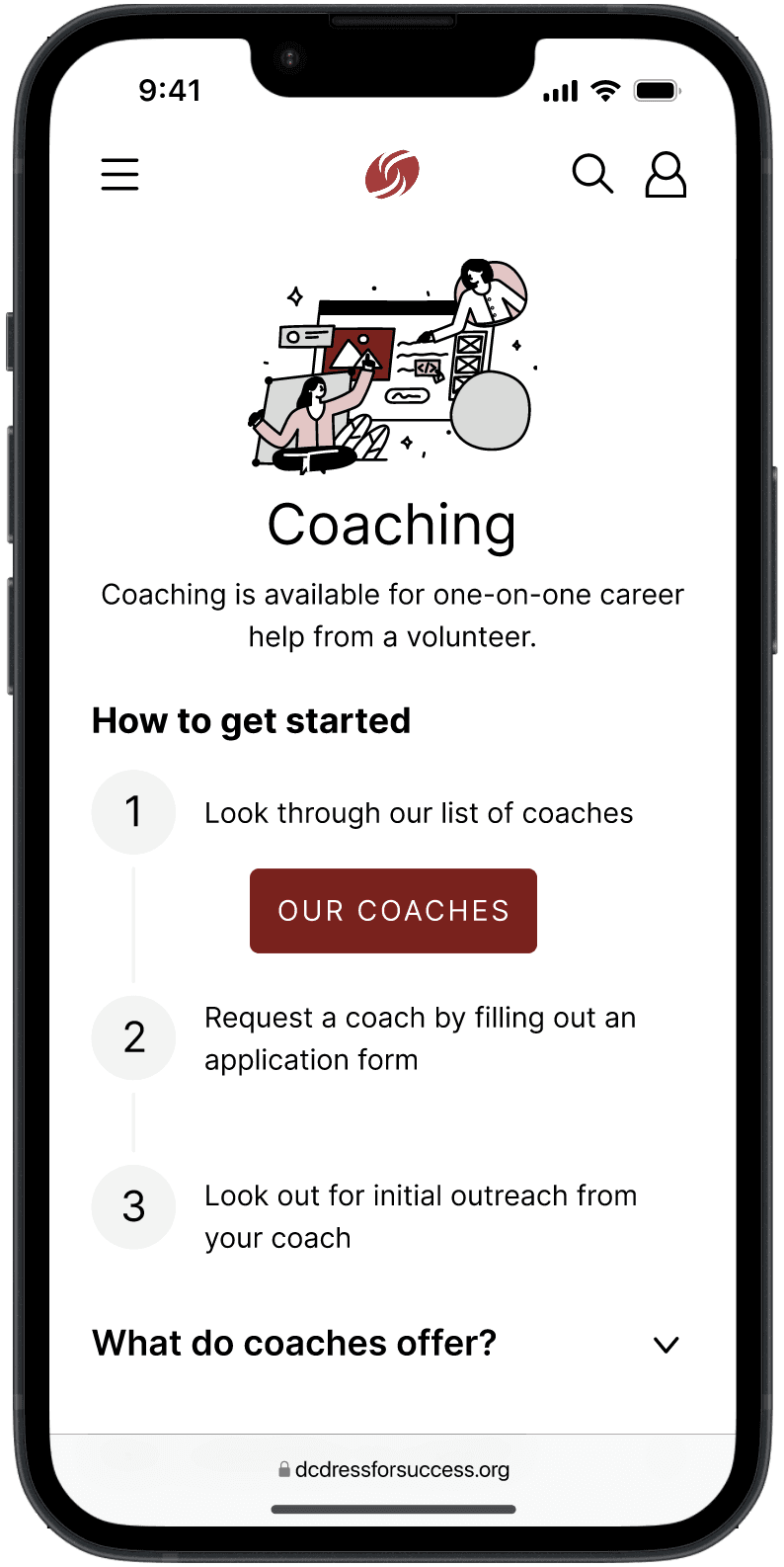
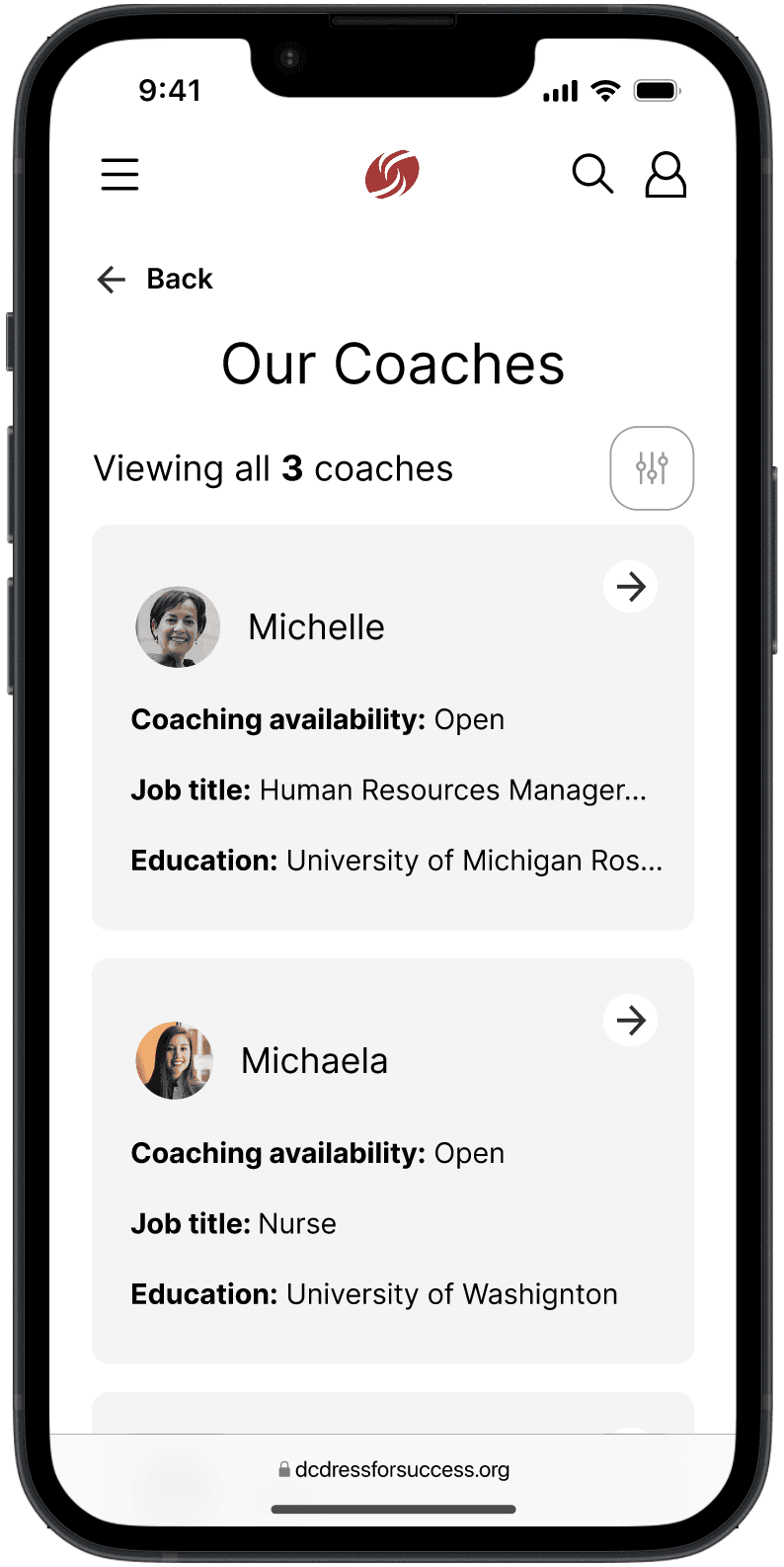
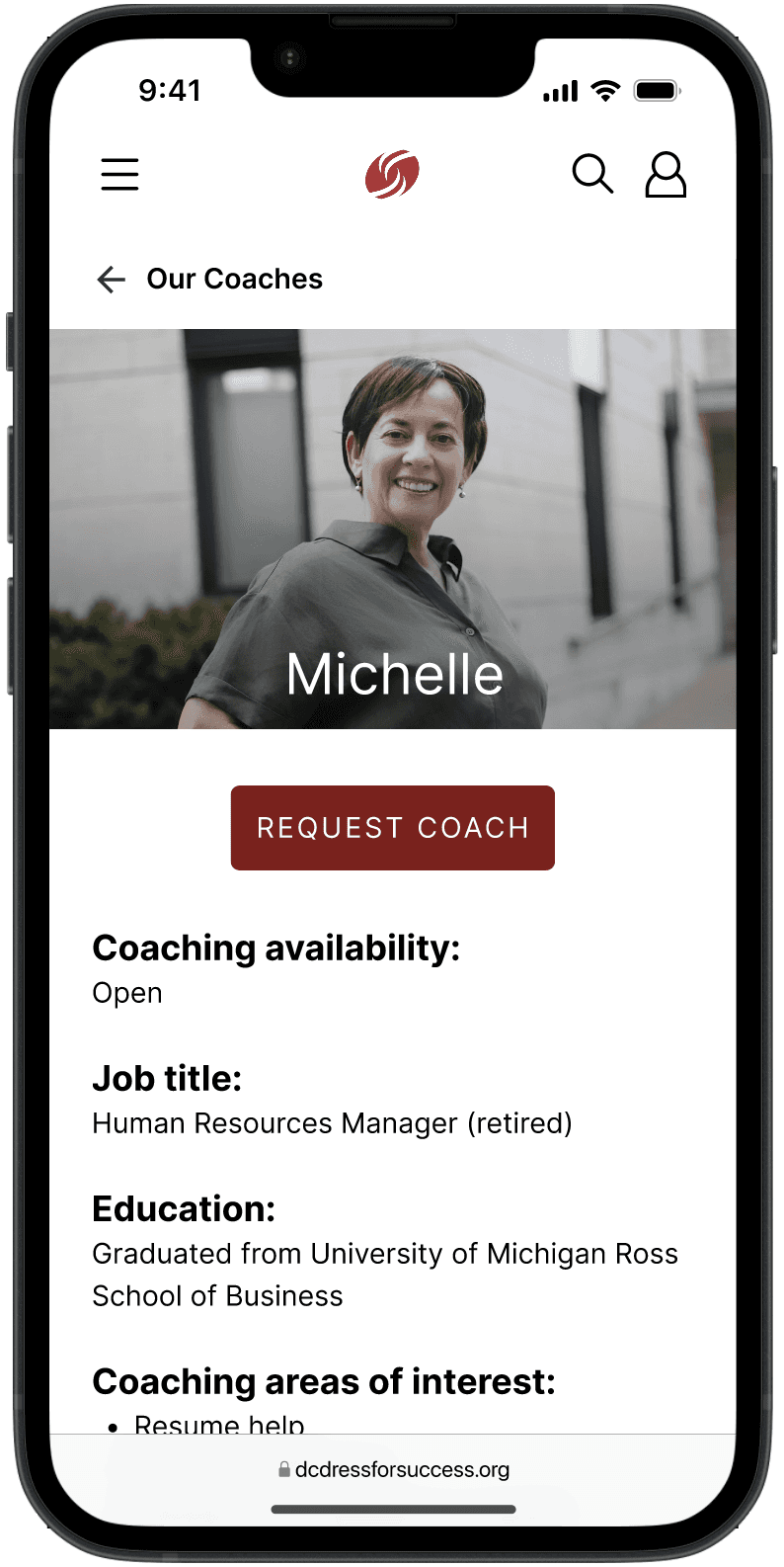
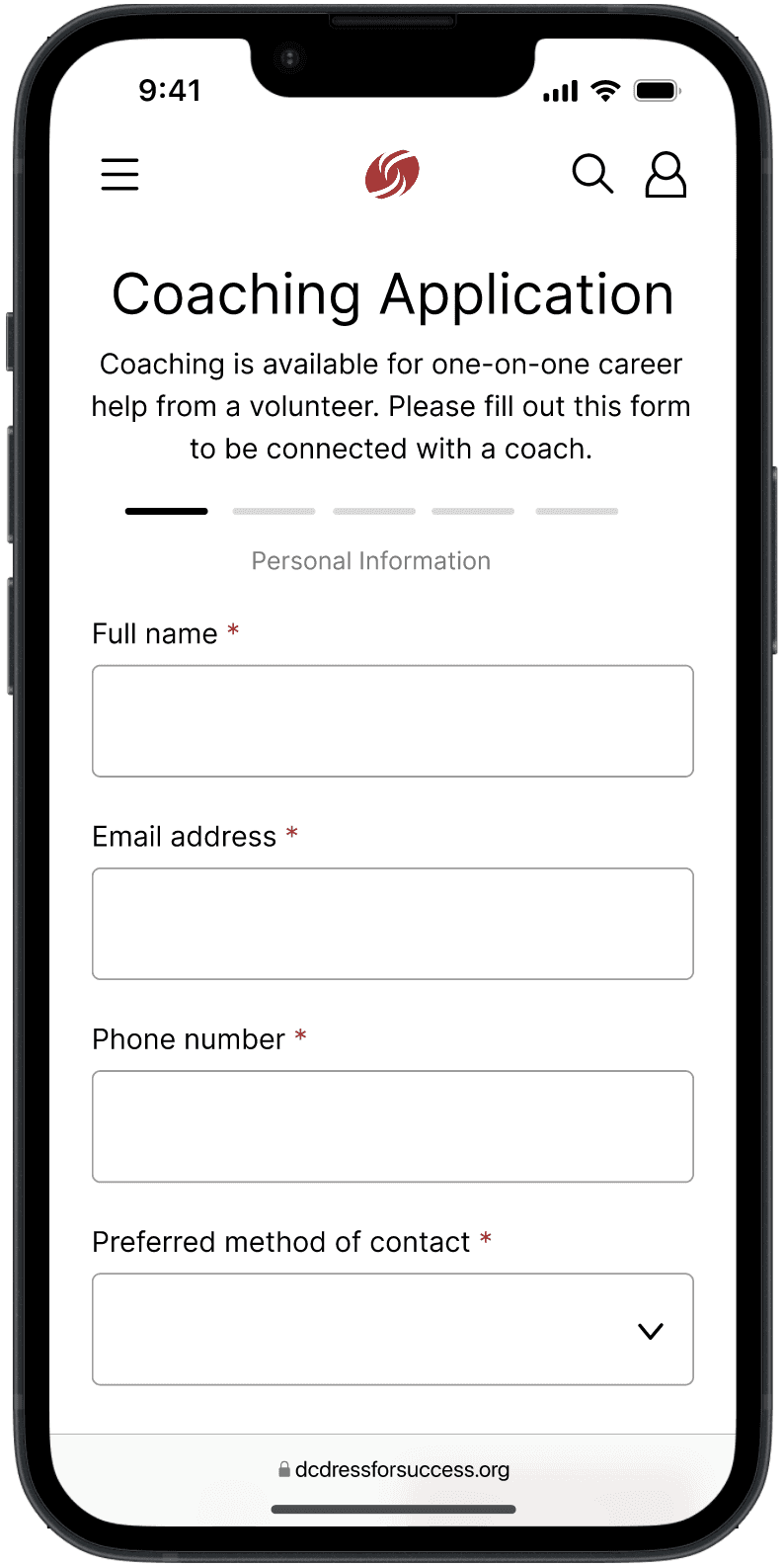
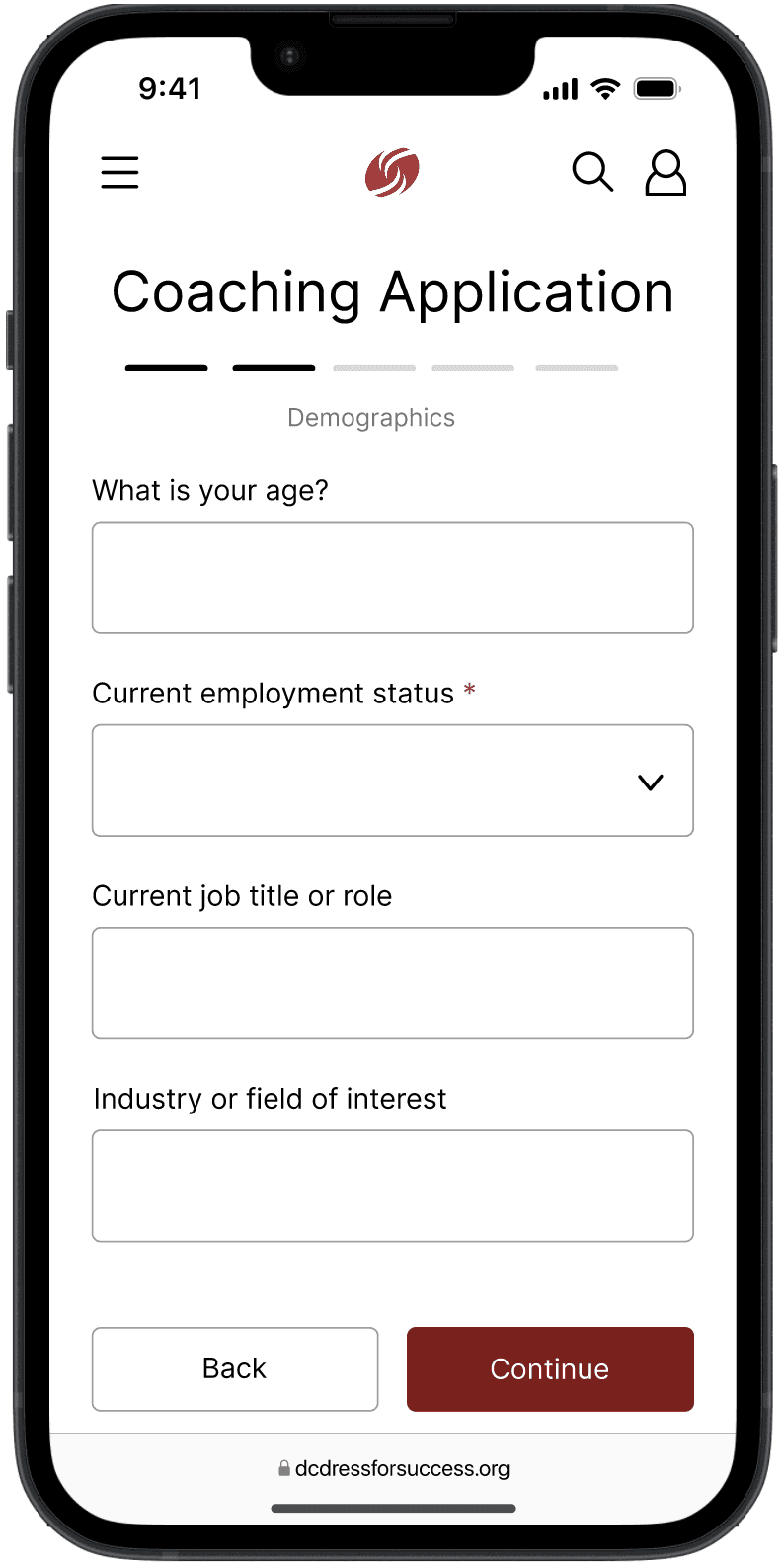
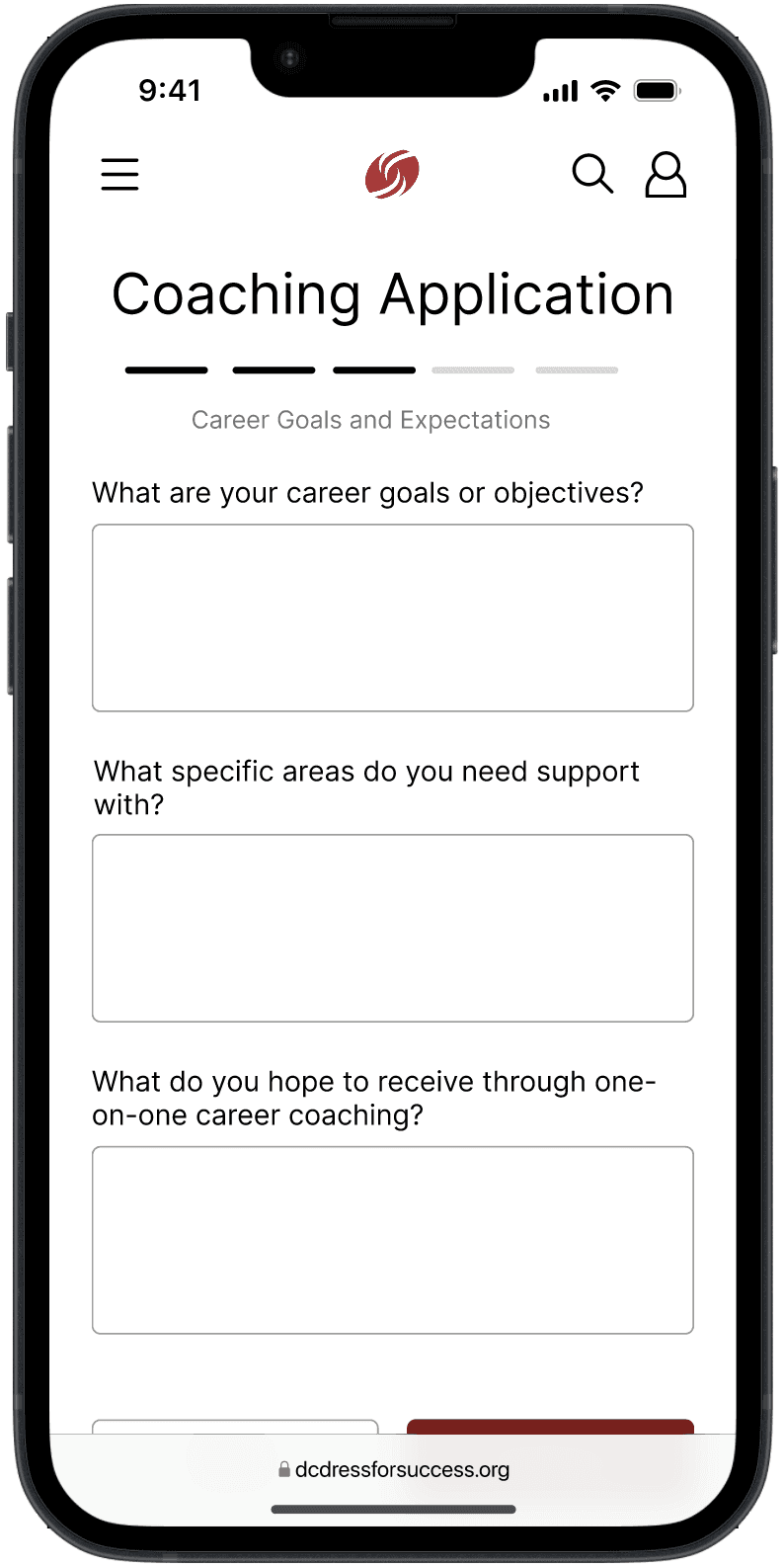
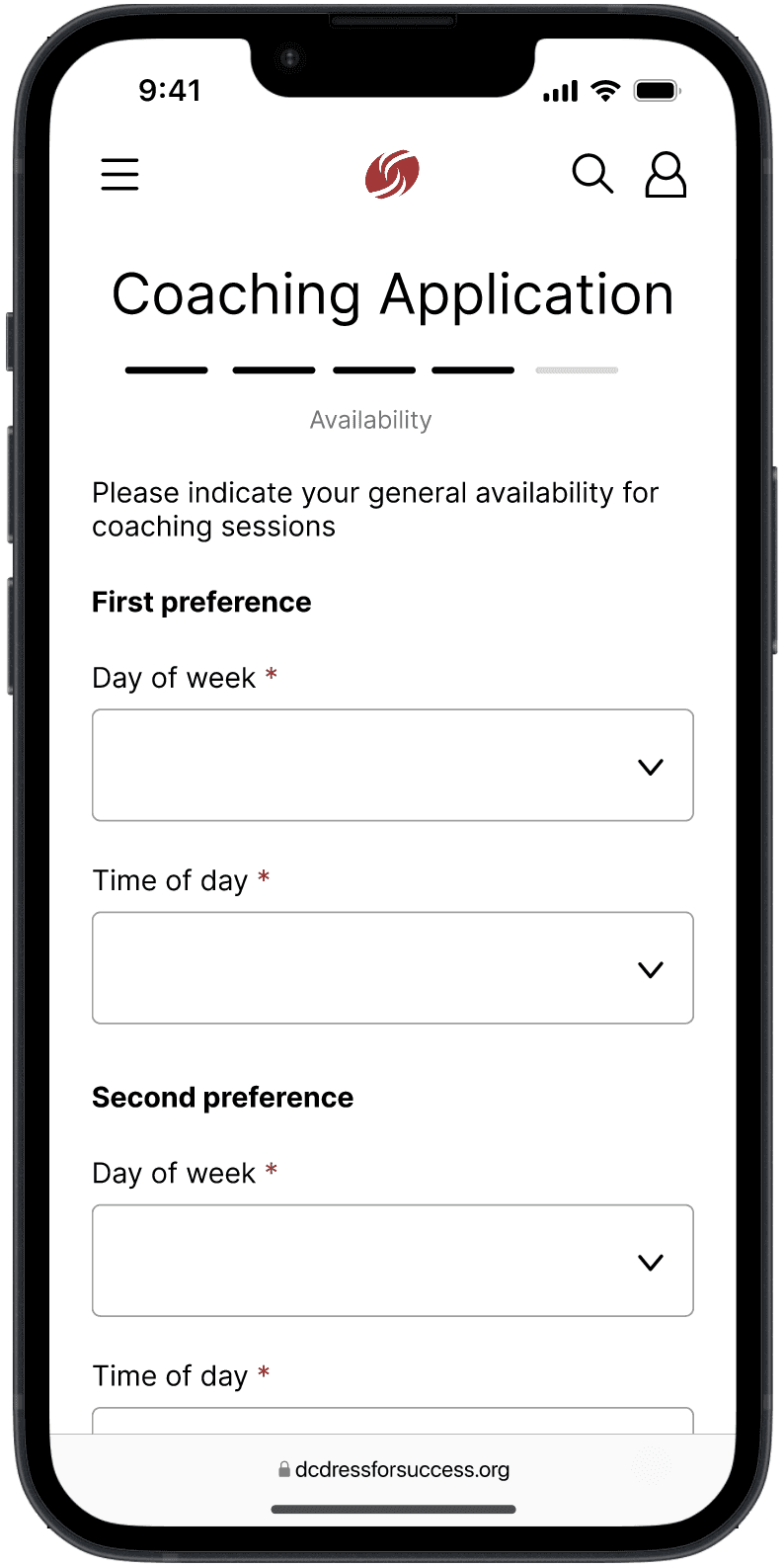
Career coaching
Schedule directly on website
View volunteer coaches’ profiles
Fill out a form to indicate preferences
View notes from coaching appointments
Evaluation Phase
Upon starting the evaluation process, I focused on 4 main user flows and 5 research questions.
User flows
Register for an account to view a personalized dashboard with resource usage metrics and recommended resources
Find and utilize career resources on the Virtual Career Center (VCC) page
Apply to be matched with a coach and schedule career coaching appointments
Register for career development events and connect with other attendees
Research questions
1
Can users logically navigate the website when trying to complete tasks and find resources?
2
Can users understand all of the language that appears on the website?
3
Can users successfully view and schedule upcoming events?
4
Can users successfully apply for career coaching and stay in contact with their coach?
5
Are users able to feel a sense of community and support from others?
Evaluation process
Usability testing
Ensuring my designs worked and made sense to the user
Preference testing
Asking users if they preferred the old design of features/pages on the website or the new ones
For usability testing, I chose to focus on new features like the profile and appointment scheduling. For preference testing, I focused on redesigned features like the Virtual Career Center and the navigation bar.
Usability testing
100%
task completion
All tasks were successfully completed
Preference testing
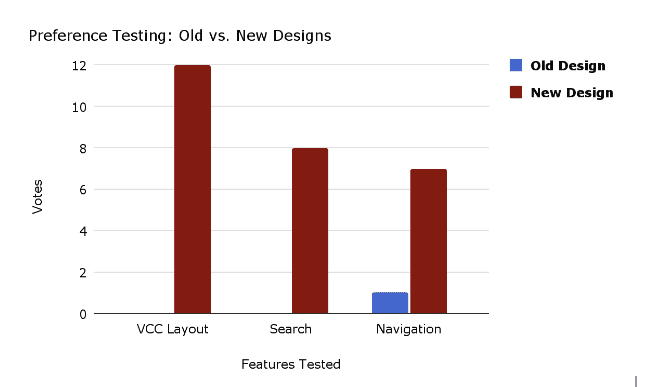
Overall, participants preferred my new design
Final Recommendations
Test the final prototype with volunteers from DFSWDC to see if their needs require any further redesigns
Carry over the same design elements and structure to the rest of the website
Find further methods to streamline processes to maintain the website (for example, auto-populate volunteer info from a volunteer registration form)
Impact
Digitization
Digitized DFSWDC’s operations so users can access resources anywhere
Connection
Allow users to connect with their peers and volunteers
Metrics
Allow staff to access comprehensive metrics to help them improve their offerings
Coaching
Facilitate easier mentorship so volunteers can focus more on helping clients achieve their goals and less on logistics
Next Steps
With more time to work on this project, I would have focused on the following:
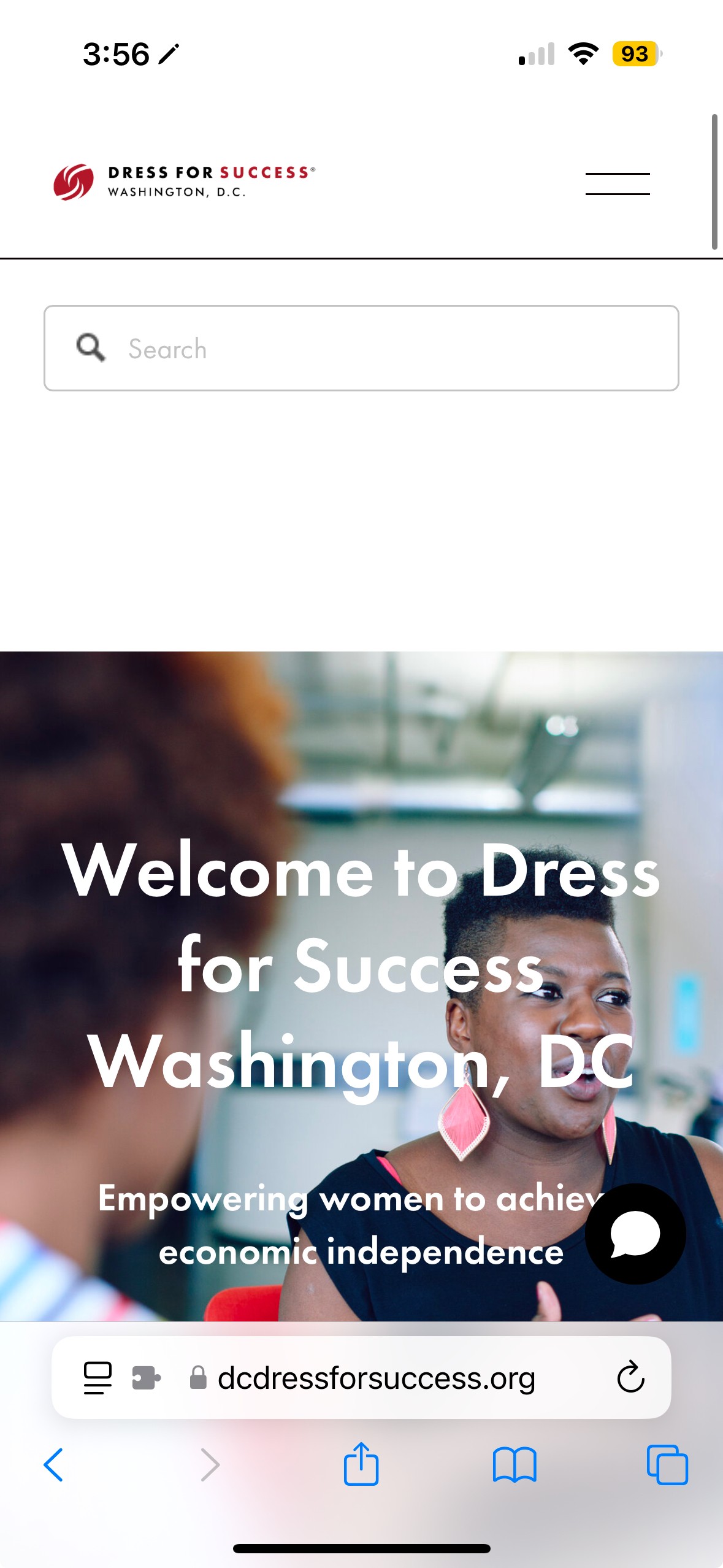
Homepage redesign
I would tackle the homepage of the website, since that is what gives many users their first impression of the organization. This is what it currently looks like, and I think there are a lot of missed opportunities to show users a preview of the website’s offerings and their benefits.

Features for volunteers
I ended up focusing on DFSWDC users in this redesign, but I think it would have been useful to also design some features for volunteers to help them with career coaching.
Design consistency
Updating the design styles on the rest of the website can help users get accustomed to the website’s design style.
Auto-population
Auto-populating information on the website through the use of forms can save the DFSWDC staff a lot of time in maintaining this website. This could be done for volunteer coach pages, for example - each coach could fill out a form with all the necessary information, and their answers could automatically update their coaching page.
Learnings
How to work with a client
This was my first time working this closely with a client, so I got a lot of hands-on experience with communicating collaboratively about design ideas with non-designers.
Balancing different stakeholders’ needs
DFSWDC users, volunteers, and staff all have very different needs, so I had to navigate the process of making sure that each stakeholder group would find the final design helpful.
Presenting designs to different audiences
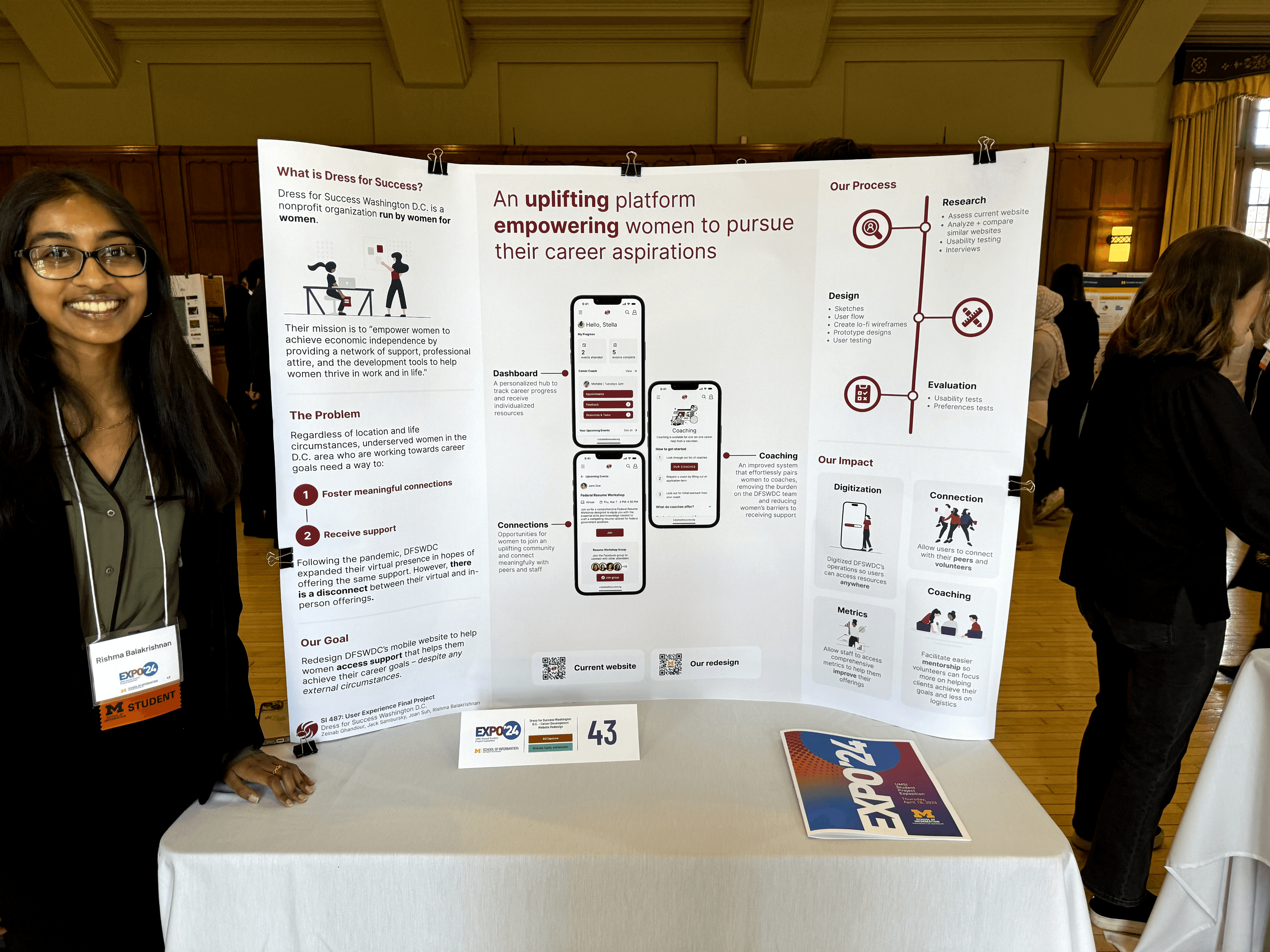
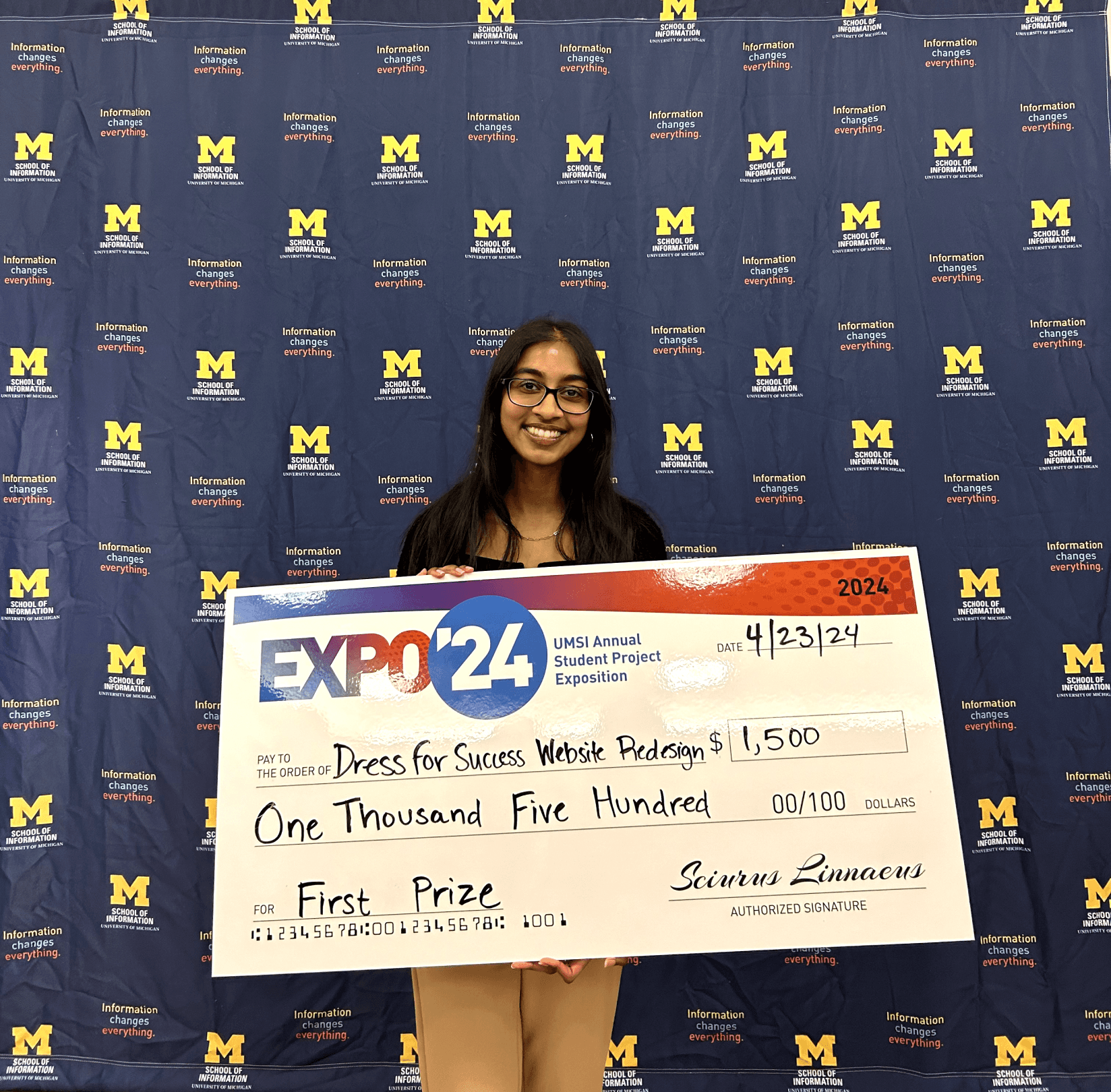
Not only did I present my work to the stakeholders, but I also had plenty of opportunities to present my work to my peers and industry experts. In fact, this project’s poster and presentation ended up winning first prize at the University of Michigan School of Information Expo 2024, and I really enjoyed getting to receiving feedback from so many different sources.